Bullet’s blog comes with a pre-defined notion structure for managing your blog data like posts, tags, and author information. Bullet parses and generates blog pages once it identifies the blog page type.
## Changing Heading and Sub-heading
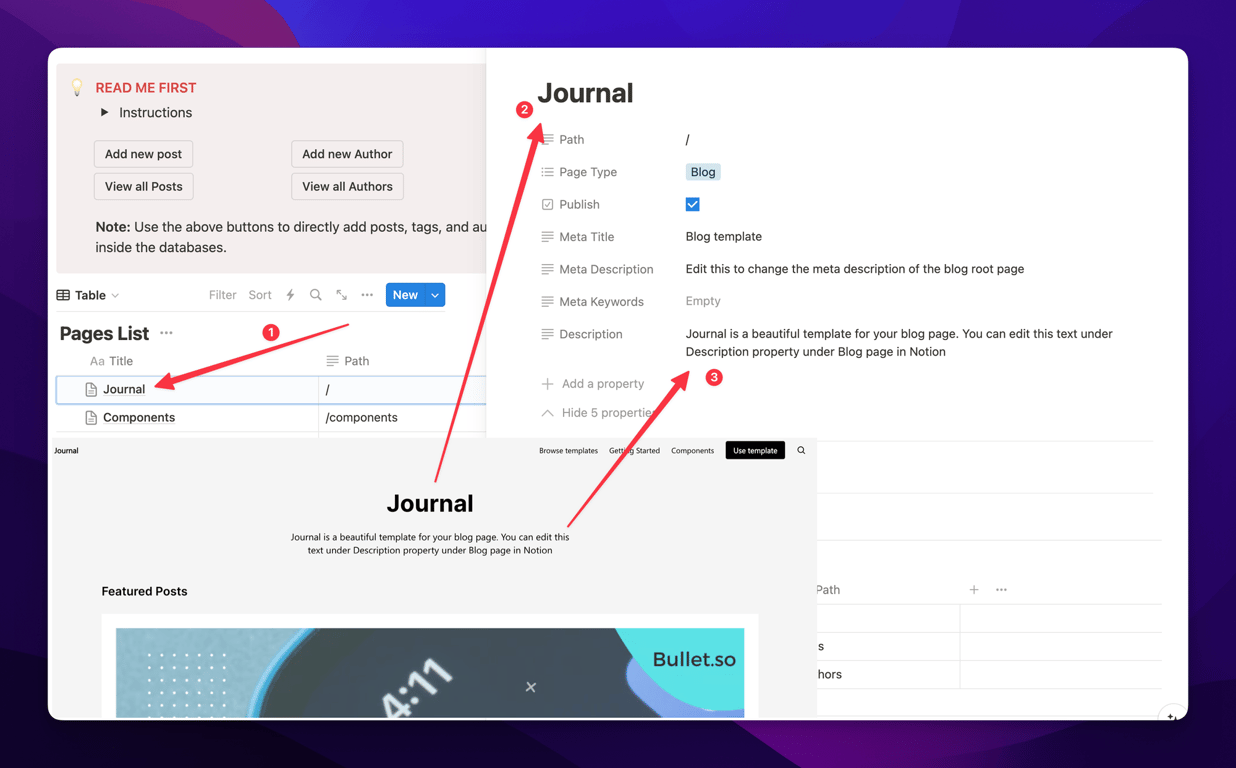
You can change the blog heading and sub-heading by editing the Page Title and Description property of the root blog page in Notion.
*If there is no Description field, it will be fetched from the meta description field.*
### Posts, Tags, Authors
- The blog page contains the main blog database, which again contains secondary databases listed below to store necessary information.
- All the databases contain different properties associated with which are managed using the columns.
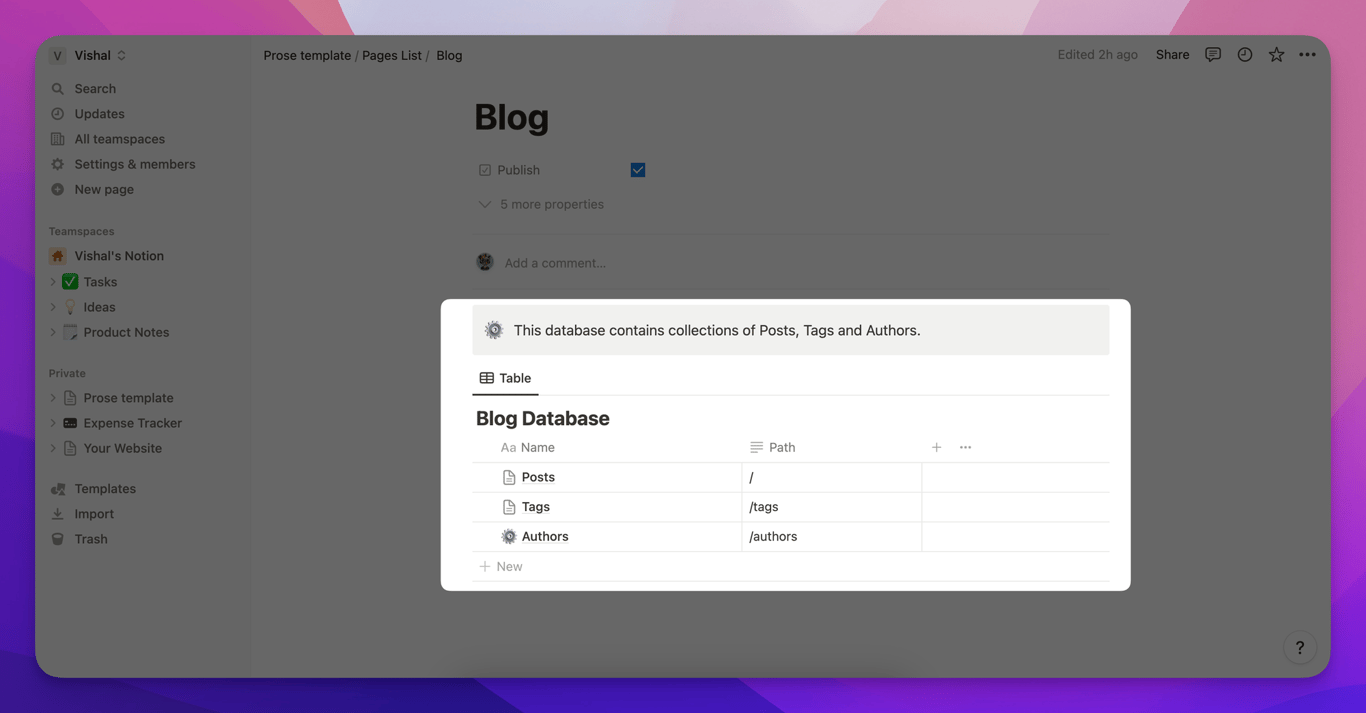
**Posts:** This is the Post database within which all your blog articles are stored and managed. You can add a new article by creating a new row here. Check [this link](a80a1c9d) to understand more.
**Tags:** Another database which contains a list all of all the tags you want your blogs to be categorized into. Check [this link](90abeb19) to understand more.
**Authors:** One more database contains the details of your authors with their names, websites and social media links. Check [this link](1b5c6778) to understand more.
**Featured:** This database contains a comprehensive list of all the blogs you've pinned to the top of your blog section.
Understanding the Bullet blog structure in Notion
Bullet’s blog comes with a pre-defined notion structure for managing your blog data like posts, tags, and author information. Bullet parses and generates blog pages once it identifies the blog page type.
The blog page contains the main blog database, which again contains secondary databases listed below to store necessary information.
All the databases contain different properties associated with which are managed using the columns.
Posts: This is the Post database within which all your blog articles are stored and managed. You can add a new article by creating a new row here. Check this link to understand more.
Tags: Another database which contains a list all of all the tags you want your blogs to be categorized into. Check this link to understand more.
Authors: One more database contains the details of your authors with their names, websites and social media links. Check this link to understand more.
Featured: This database contains a comprehensive list of all the blogs you've pinned to the top of your blog section.
Was this page helpful?
How can we improve?
Start typing to search documentation…
Pages
Ask AI assistant
AI Assistant
Sources cited
AI is thinking
Hi! I'm your AI assistant. Ask me anything about this documentation.

