## How to Unhide an Element or Tag Using Block Editor in [Bullet.so](http://Bullet.so)
To **make any hidden element visible** on your Bullet.so site using the Block Editor, follow these steps:
1. Open the page you want to edit.
2. Go to **Design** section and select any block
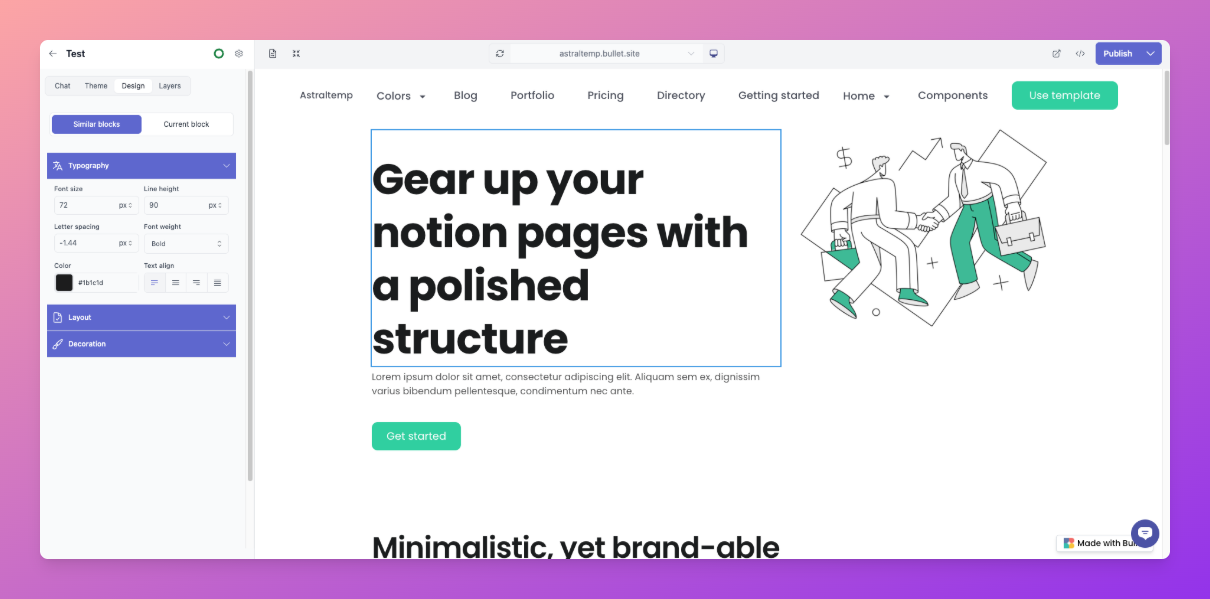
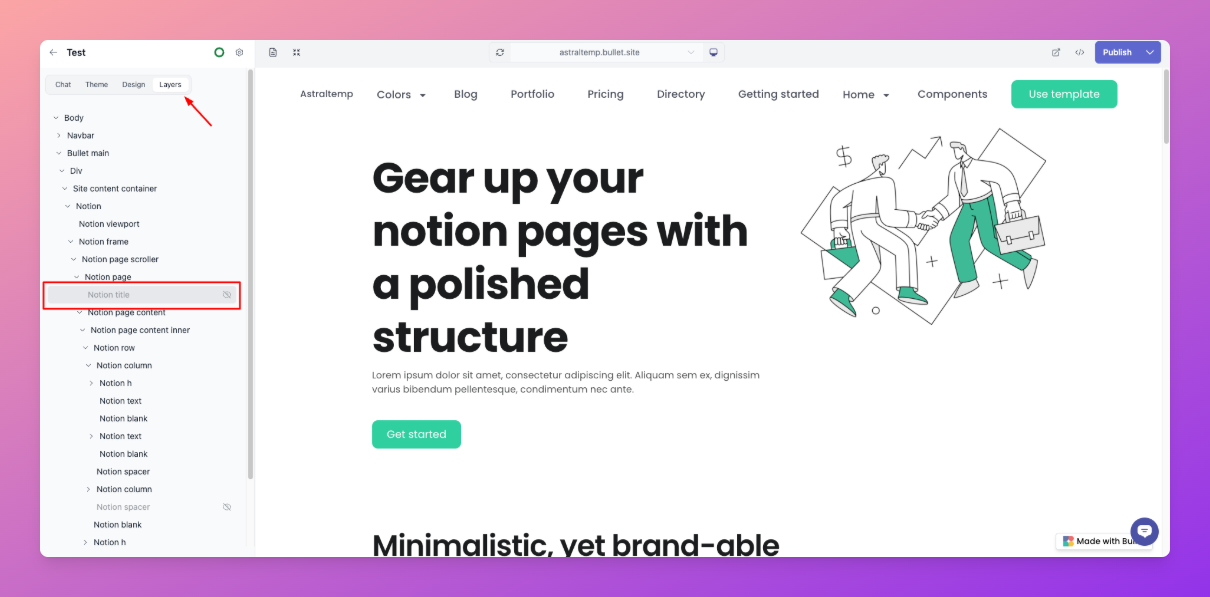
3. In the right-side **Layers panel**, locate and select the element you want to unhide (e.g., `Notion Title` or any other block).
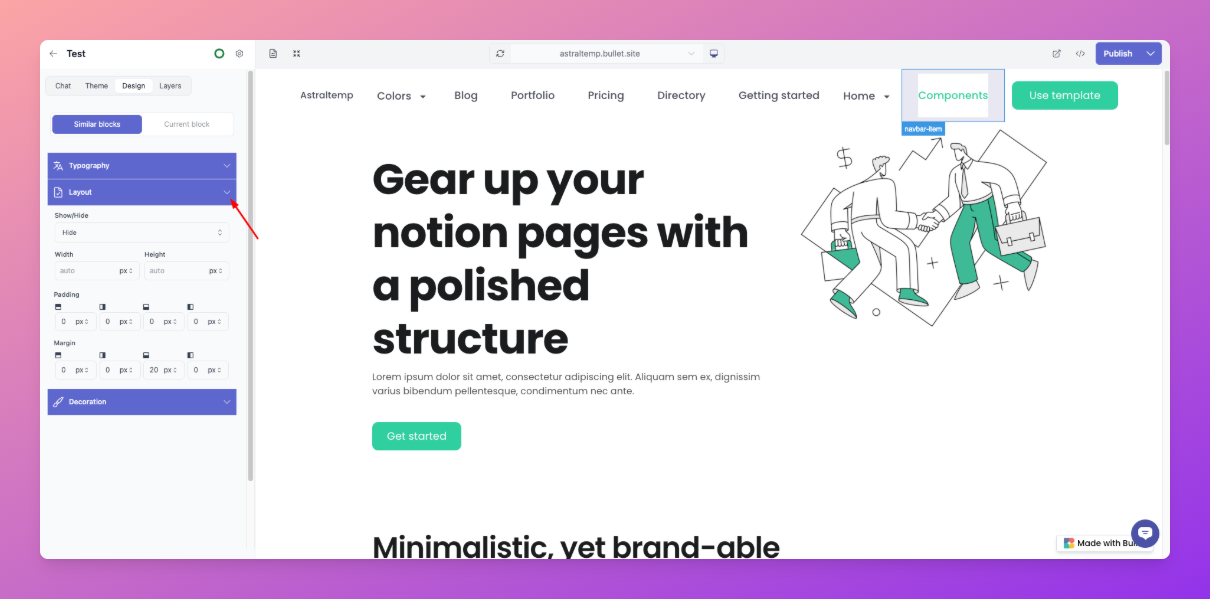
4. Click on Design, navigate to the **Layout** section.
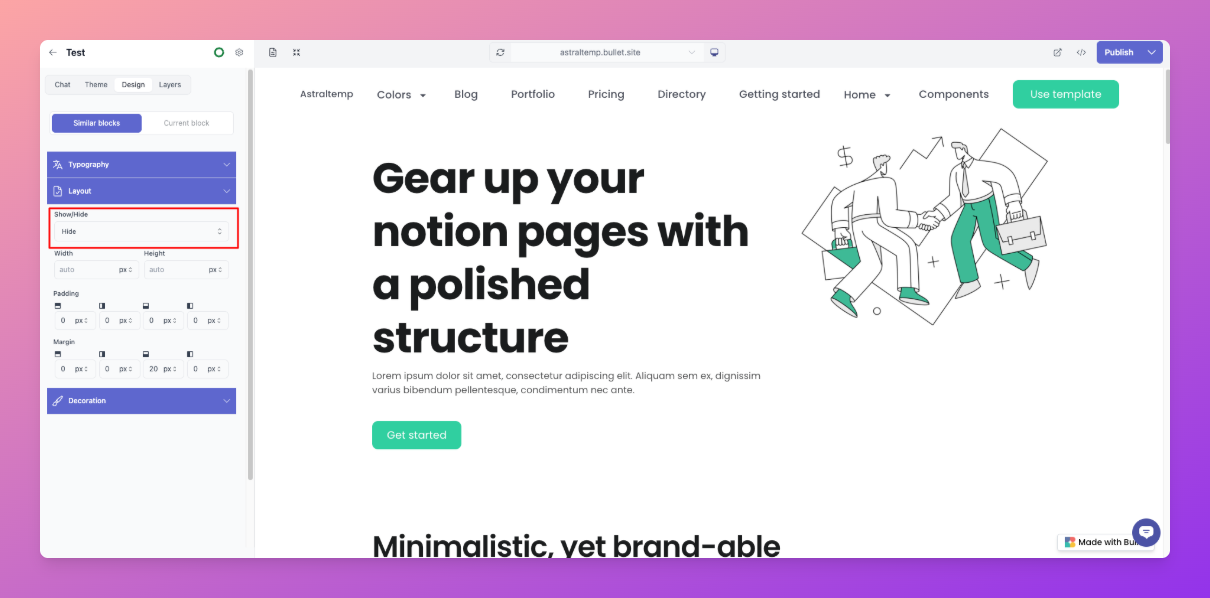
5. Under **Show/Hide**, select “ **Show**” to make the element visible on your site.
6. Save and publish your site to apply the changes.
> 📝 **Tip:** You can use the Layers panel to quickly find and manage visibility for nested or overlapping elements.
---
## How to Unhide an Element or Tag Using Block Editor in Bullet.so (Legacy Method)
*For Legacy Users*
To **make any hidden element visible** on your Bullet.so site using the Block Editor, follow these steps:
1. Open the page you want to edit.
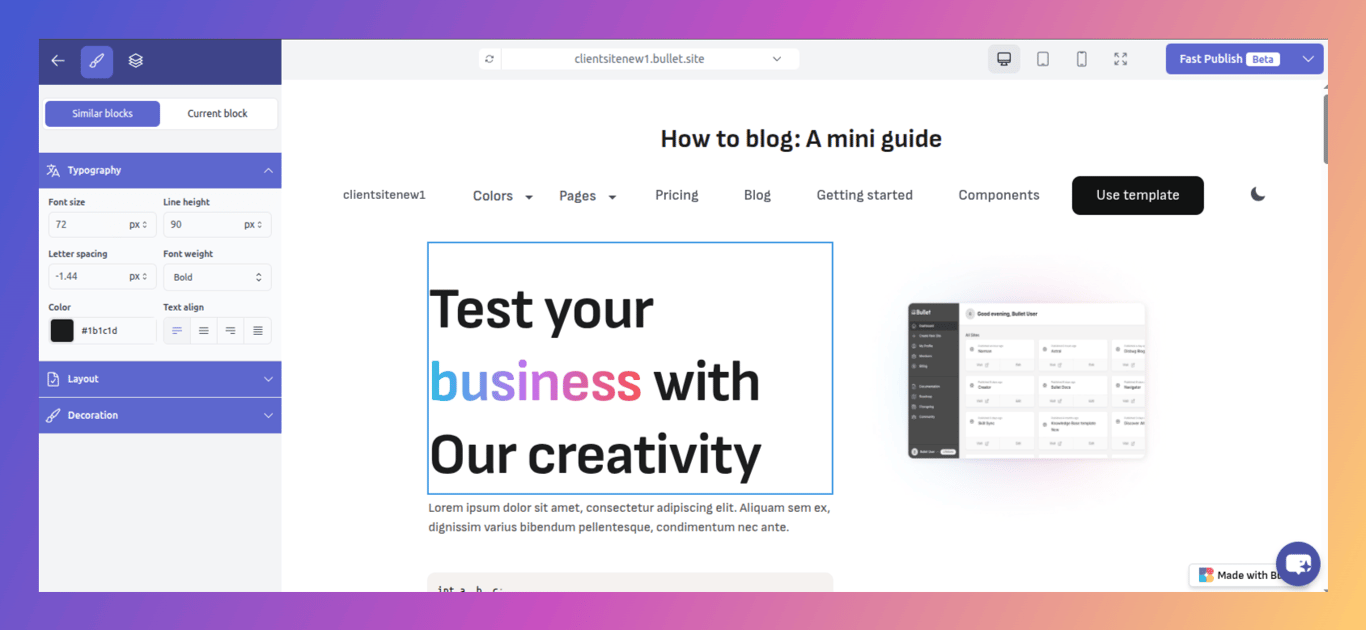
2. Click on any block to enable the Block Editor
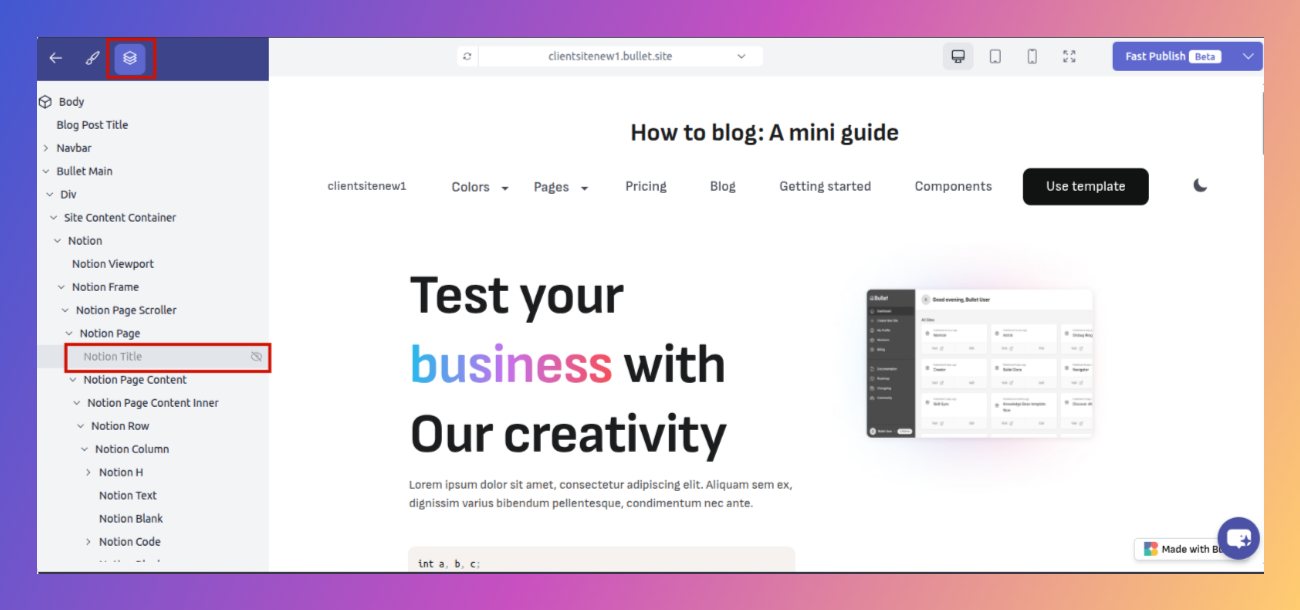
1. In the right-side **Layers panel**, locate and select the element you want to unhide (e.g., `Notion Title` or any other block).
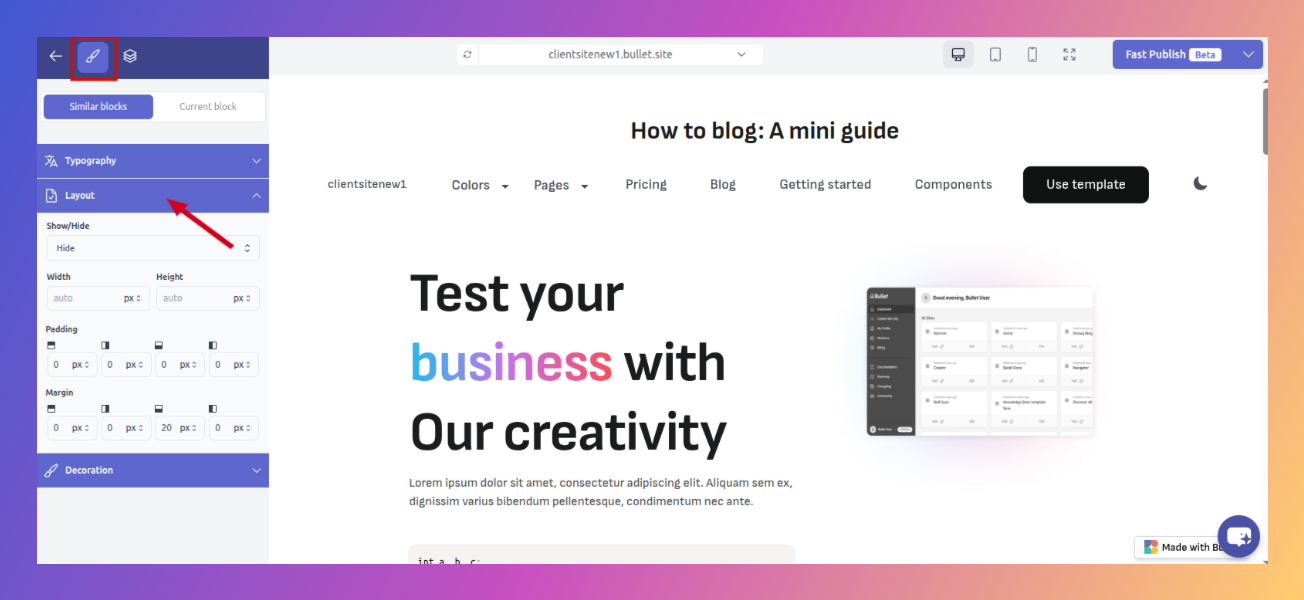
1. In the Block Editor, navigate to the **Layout** section.
1. Under **Show/Hide**, select “ **Show**” to make the element visible on your site.
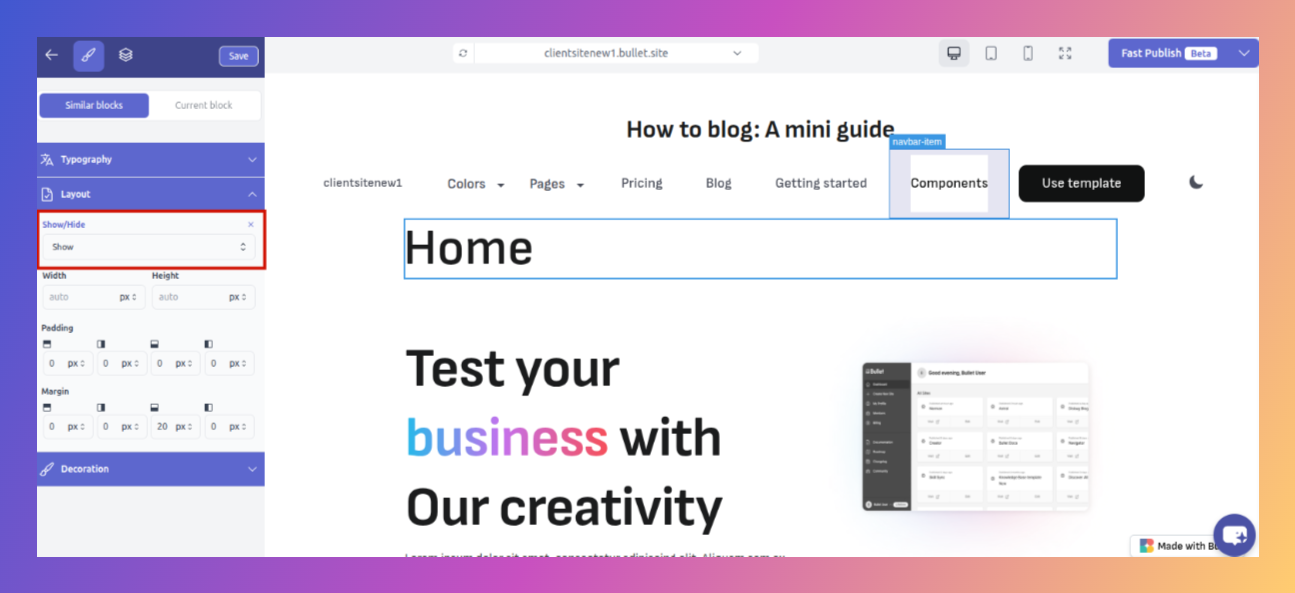
1. Save and publish your site to apply the changes.
> 📝 **Tip:** You can use the Layers panel to quickly find and manage visibility for nested or overlapping elements.







