This guide explains how to cancel your Bullet site subscription and what happens after cancellation.
## Steps to Cancel Your Subscription
1. Go to the **Billing** section from your dashboard.
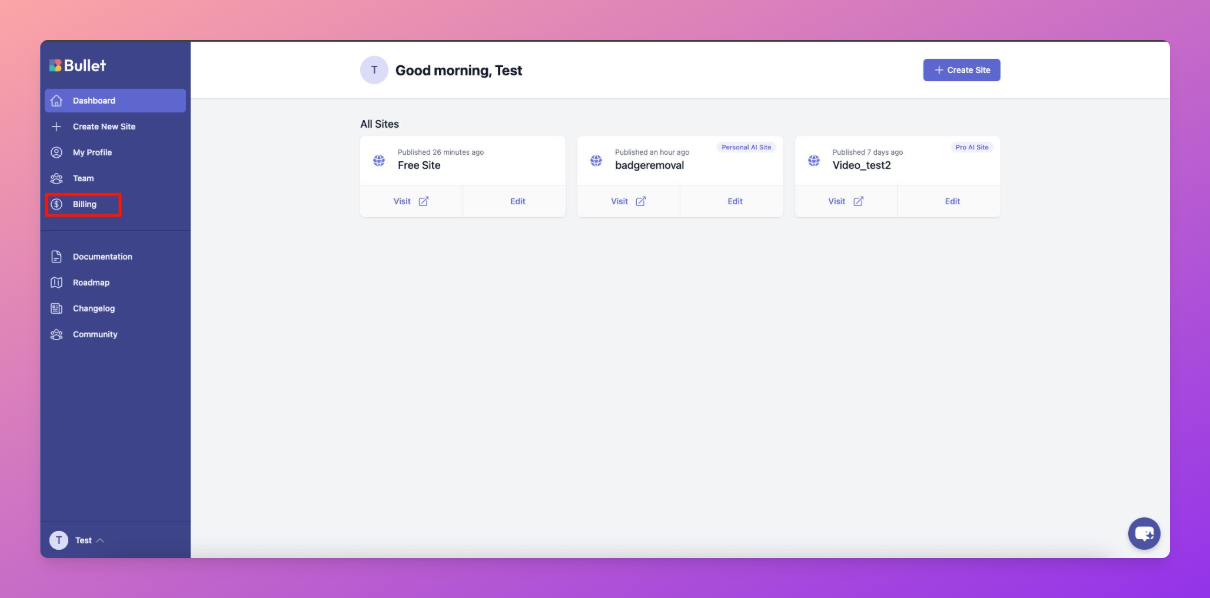
2. Locate the site you want to cancel the subscription for.
3. Click the **three dots (⋯)** next to the site.
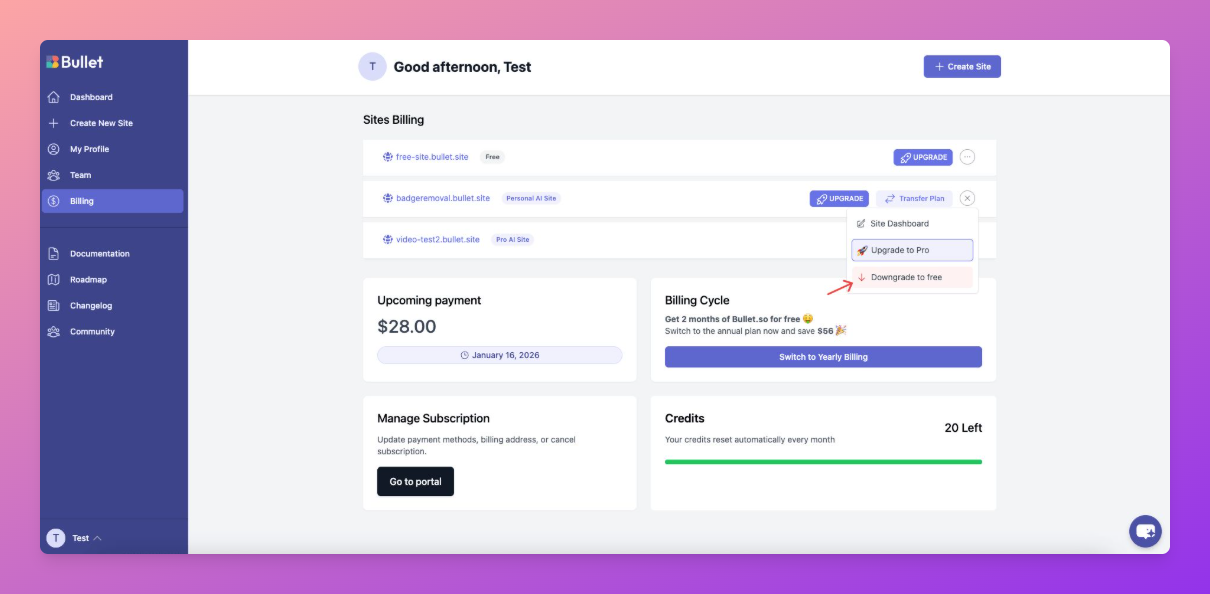
4. Select **Downgrade to Free**.
5. Confirm the downgrade when prompted.
Once confirmed, your subscription will be canceled and no further charges will be made.
## What Happens After Cancellation
- Your subscription will remain active until the end of the current billing period.
- You will not be charged again.
- After the billing period ends, your site will automatically be downgraded to the **free plan**.
- Paid features will no longer be available after the downgrade.
---
## Important Notes
- Canceling your subscription does **not delete your site**.
- [To delete your site](175042e1), you must first downgrade to the free plan.
How to Cancel Your Subscription
This guide explains how to cancel your Bullet site subscription and what happens after cancellation.

