Creating your website with Bullet is simple and will take no more than 5 minutes of your time. The only prerequisite to building your website using Bullet is to have a publicly shared Notion URL.
You can either duplicate one of our templates or use your existing Notion page.
## 1. Get the Notion public URL.
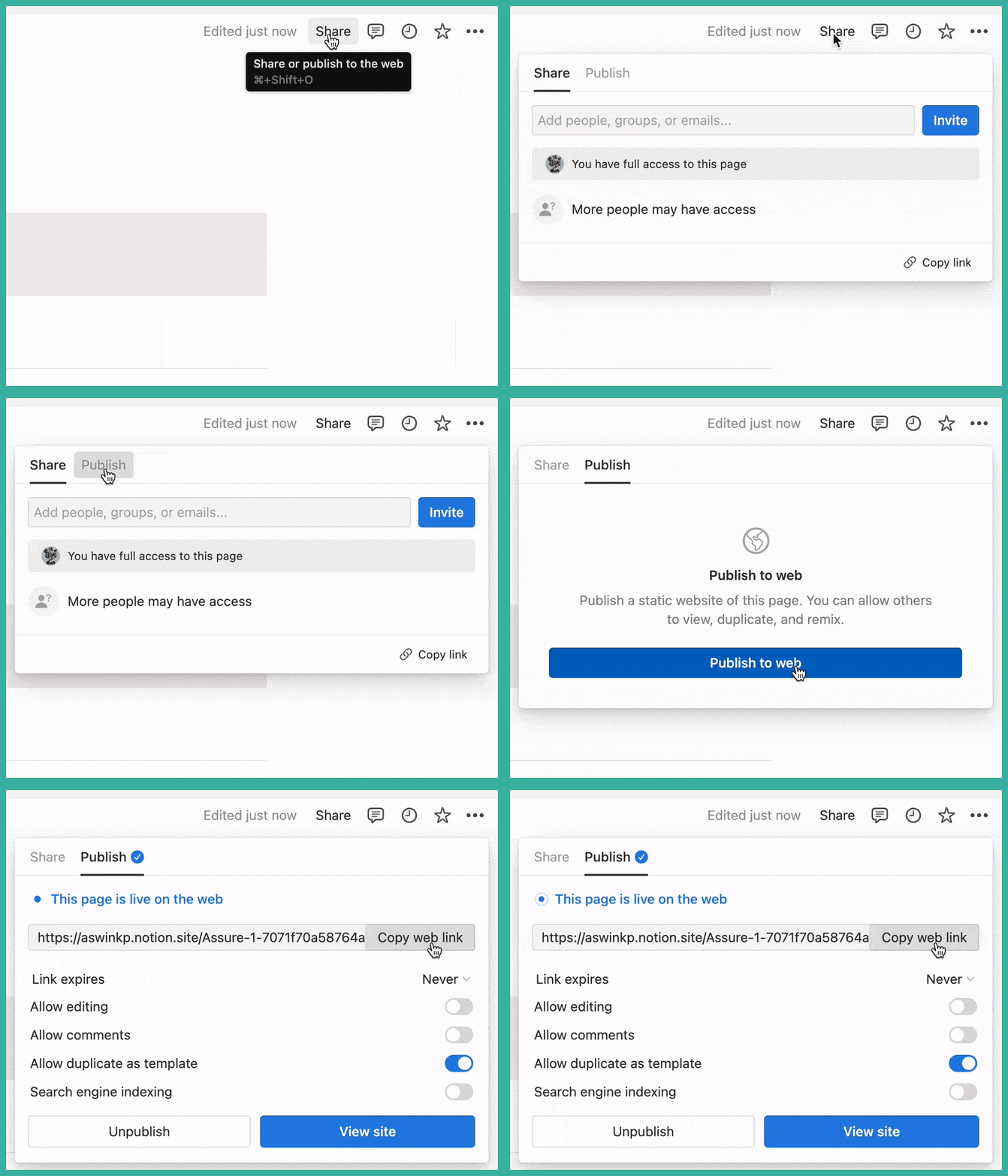
1. Open the share menu of your Notion page.
2. Select the "Publish" option.
3. Click on the "**Publish to web**" button.
4. Now, copy the link using the "copy web link" button.
## 2. Create a new site in Bullet
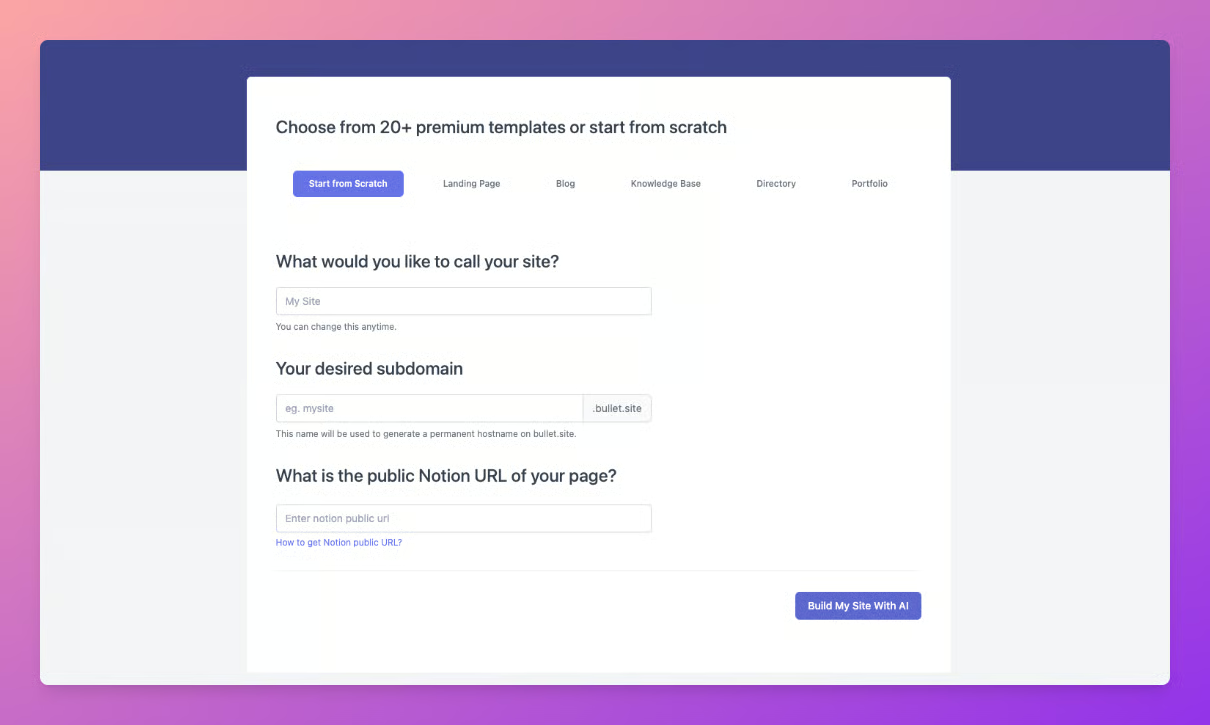
Sign up and create your account in Bullet if you haven’t already. Now create a new site in the bullet dashboard and fill in the necessary details.
1. Name of the site
2. Sub-domain name to create a <subdomain>.bullet.site website. You can connect your own domain at a later stage.
3. Public Notion URL that you copied in the previous step.
4. Then click on the "Build My Site With AI" Button.
Create Your First Notion Website with Bullet
Creating your website with Bullet is simple and will take no more than 5 minutes of your time. The only prerequisite to building your website using Bullet is to have a publicly shared Notion URL.
You can either duplicate one of our templates or use your existing Notion page.

