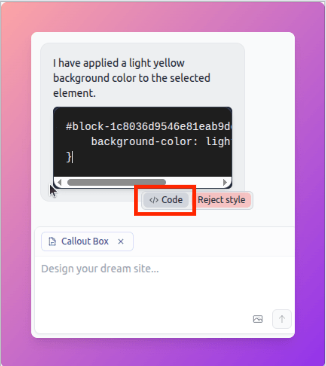
All the code that you applied using AI or the editor will go to the CSS tab. You can open Code </> to see the code applied. If you are an advanced user, you can also edit the CSS when needed. At the moment Bullet AI works only for CSS. It doesn’t add Javascript or change the HTML layout of the Notion page.
## Code and Changes
- Click **Code** to see what styles AI applied.
- Use the **Code Editor** (before Publish) to edit or remove styles.
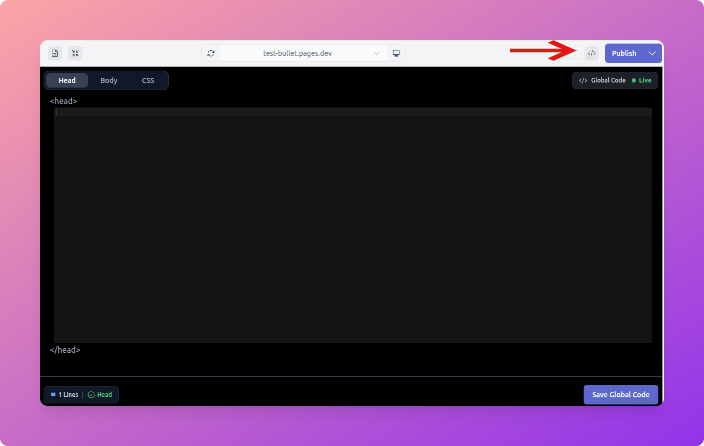
- Save as **Global Code** to apply changes across the whole site.
## Responsive Styling
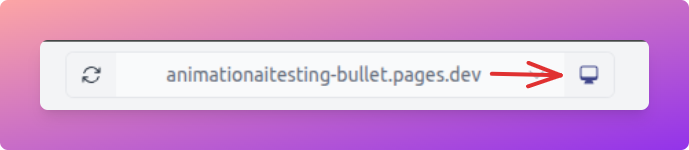
- Styles default to desktop, and desktop changes apply globally across all devices.
- Switch to tablet or mobile in the toolbar to preview and tweak device-specific changes.
- If you want changes only for Desktop, you’ll need to add CSS manually.
## Best Practices
- Keep styles consistent for a clean look.
- Use global styles for common blocks, local styles for one-offs.
- Always preview before publishing.
- Combine AI + Design Mode edits for best results.
## Credits
- Each site comes with **100 credits w** hich can see under the **Billing** section.
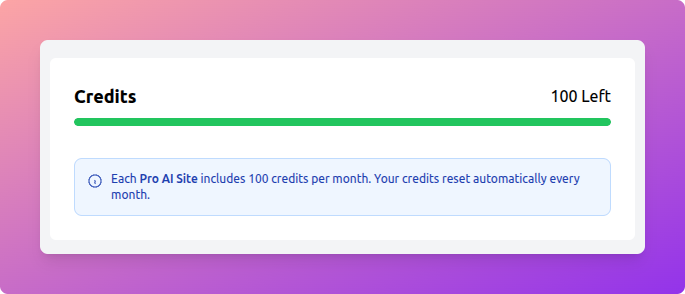
- Credits are used whenever you apply AI styles.
- Block-level styling uses fewer credits, while page-level styling consumes more.
- Rejecting or rolling back a style will not refund credits.
---
## Quick Recap
- **Notion = structure**
- **Bullet AI = style**
- **Design Mode = quick fixes**
- **CSS = full control**
- **AI = inspiration and combos**
Managing Code, Devices, and Best Practices
All the code that you applied using AI or the editor will go to the CSS tab. You can open Code </> to see the code applied. If you are an advanced user, you can also edit the CSS when needed. At the moment Bullet AI works only for CSS. It doesn’t add Javascript or change the HTML layout of the Notion page.



