# Adding your logo to your Notion site?
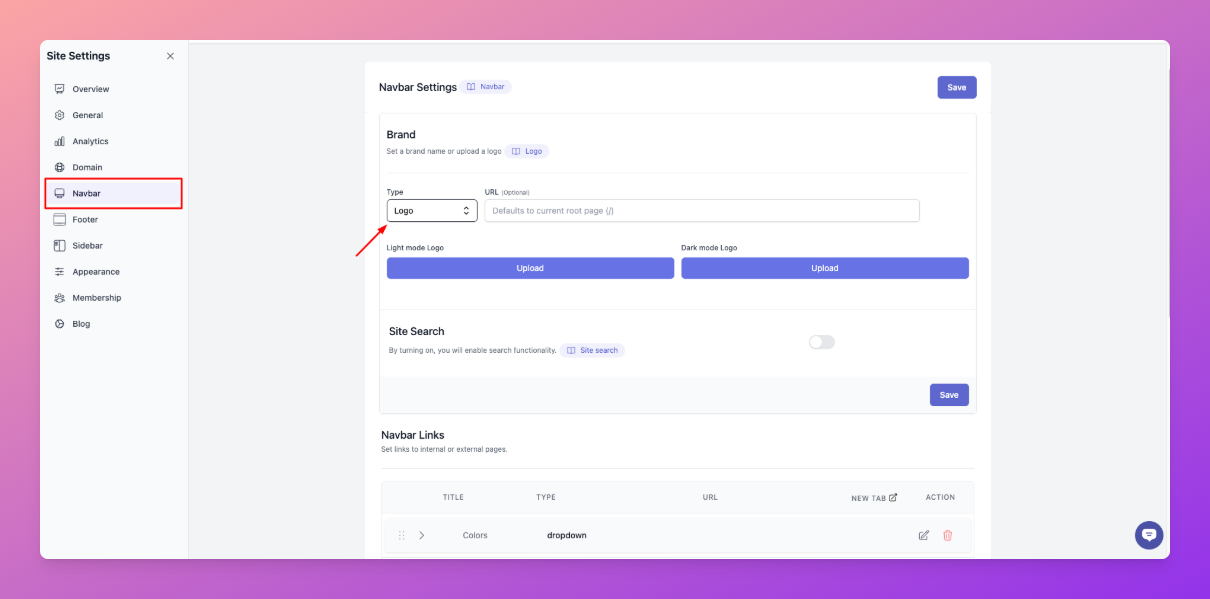
1. Go to the navbar and scroll down to the brand section.
2. Now, select "Logo" under Type and click "Upload".
## Add a favicon and social share thumbnail
1. Go to “Site Settings” → ”Favicon & OG Image” of your website.
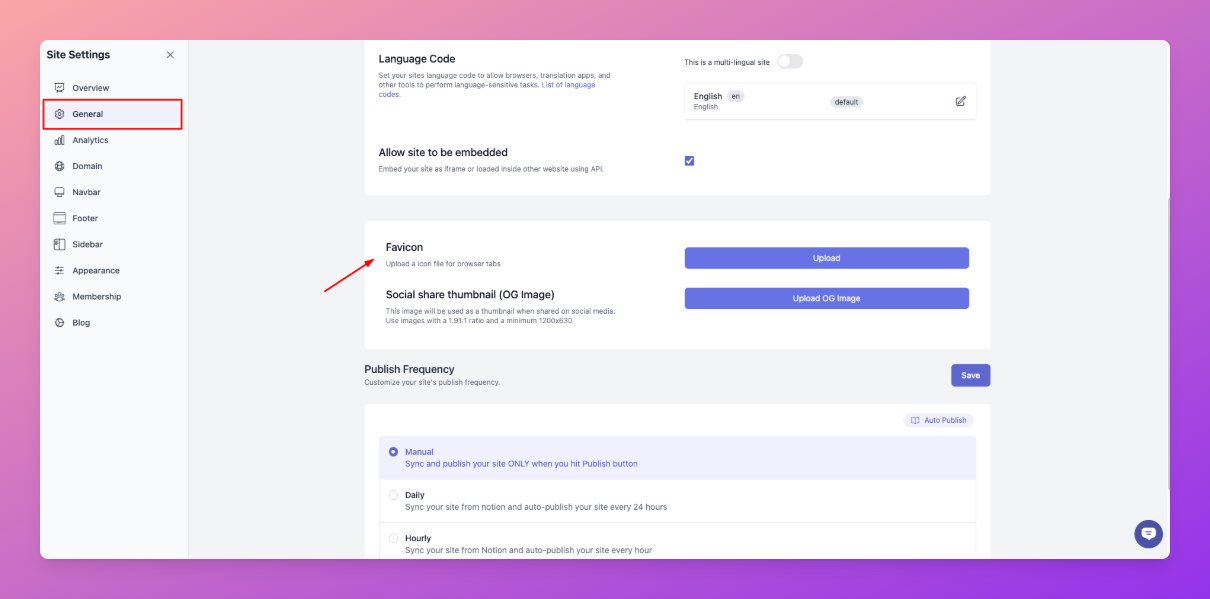
2. Upload the corresponding images using the buttons beside each option.
**Note**: If you don't upload the Favicon, Notion's page icon will be used by default.

