Embed forms into Notion and simplify data collection and management. Streamline tasks like lead generation and feedback by embedding forms from platforms like Tally or Mailchimp, all within one workspace, improving efficiency without needing extra tools.
## How to Embed a Notion Form in bullet site
### Step 1: Create Your Form in Notion
1. Create your form in Notion by typing **/forms** inside a page.
2. Add all required fields and configure the form the way you want.
3. Click on **Share form** and make it public.
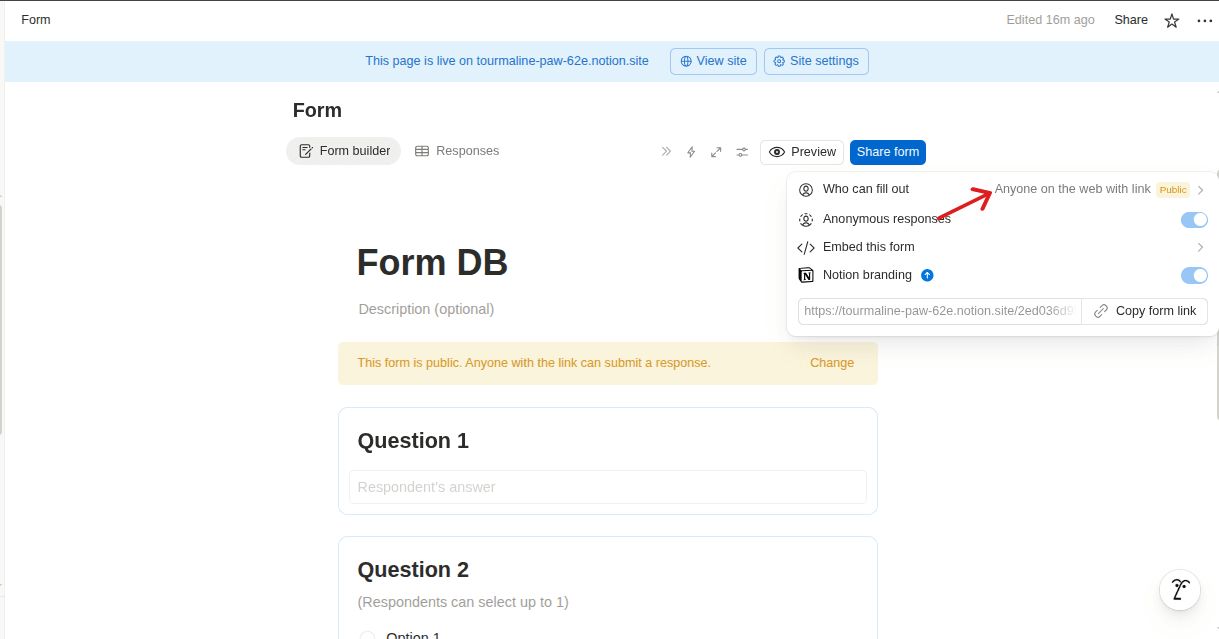
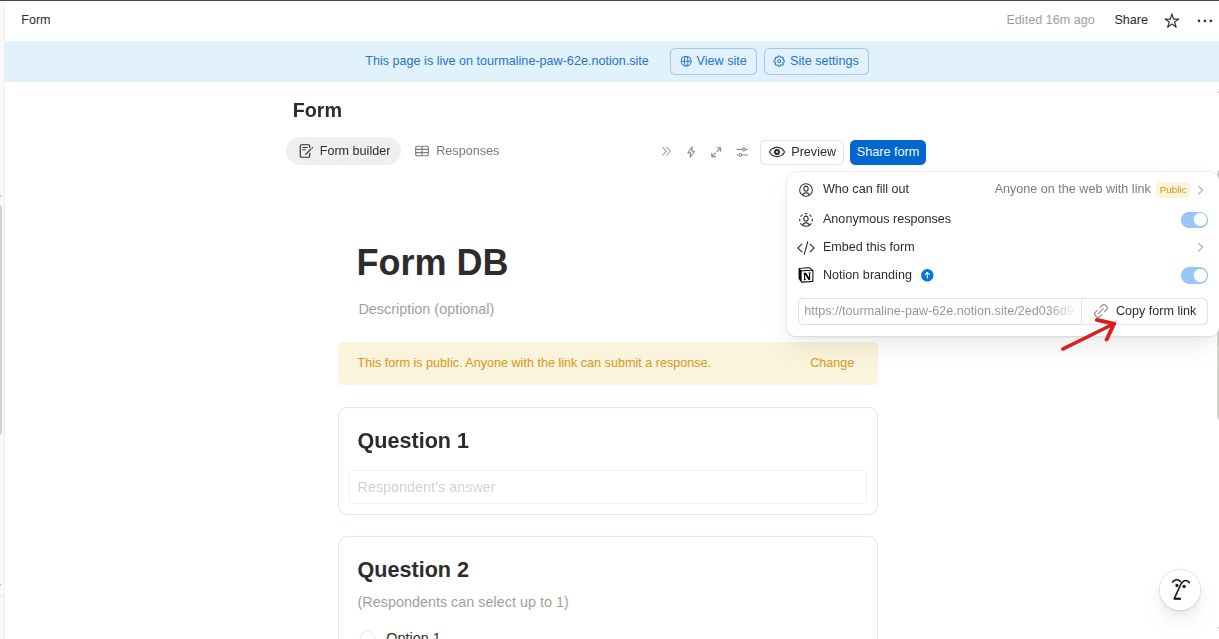
4. Copy the public URL of the form from the Share option.
---
### Step 2: Embed the form Inside the Notion Page
1. Create a new** Notion page** where you want the form to appear.
2. Give the page a clear title like “Contact Form” or “Request Form.”
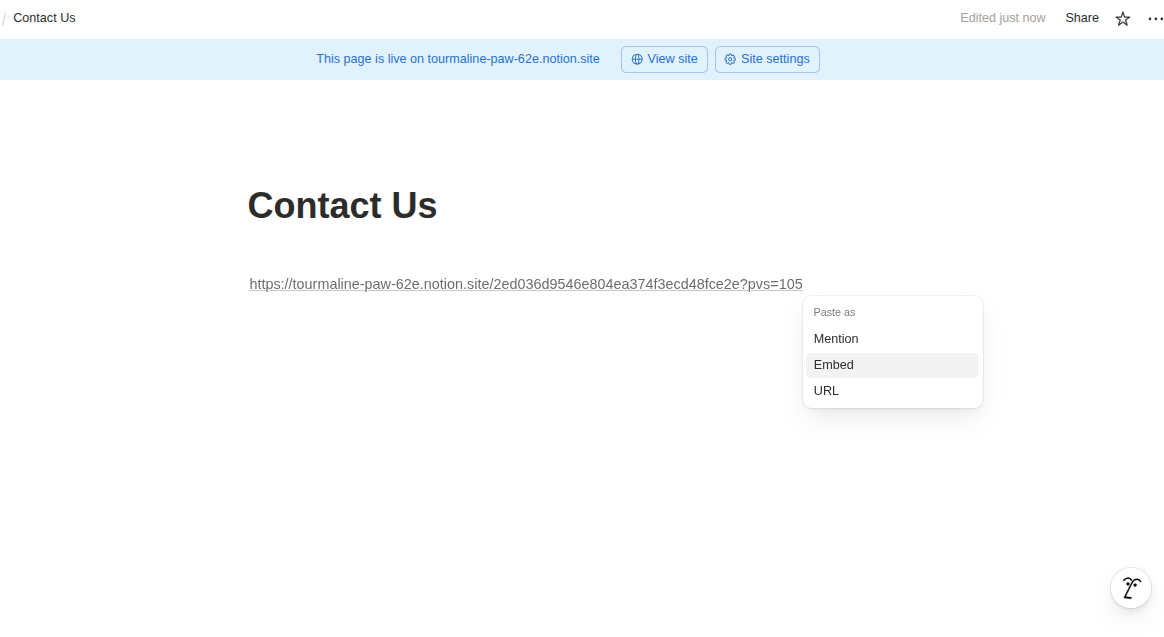
3. Paste the copied form link into the page.
4. Choose **Embed** when Notion asks how to display the link.
---
### Step 3: How to Link form page in notion button
1. Open the Notion page where you want to link the form.
2. Click on the existing **Button block** (or create a new button).
3. Open the **Button Settings**.
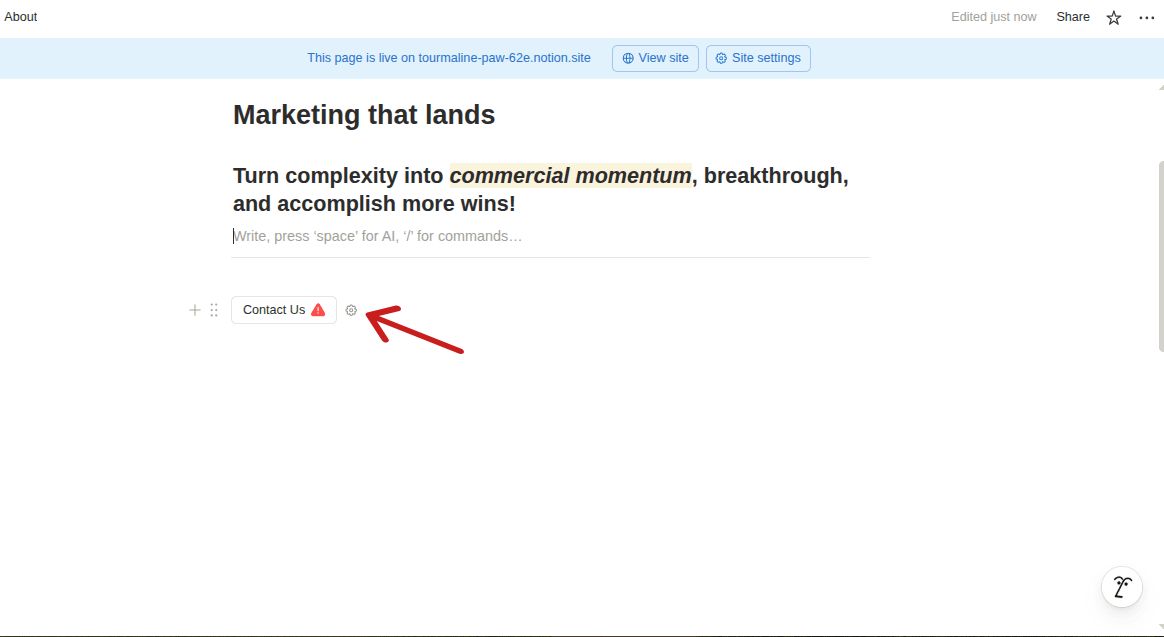
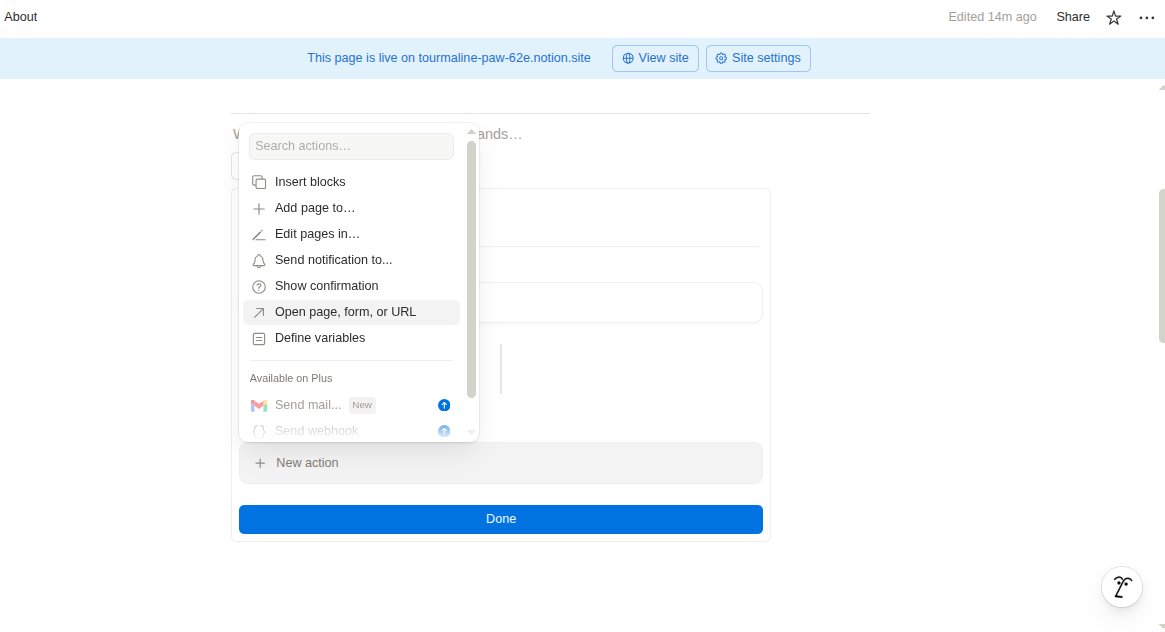
4. Click on **New Action** and choose **“Open Page, form, or URL.”**
5. Select the Notion page where your form is embedded.
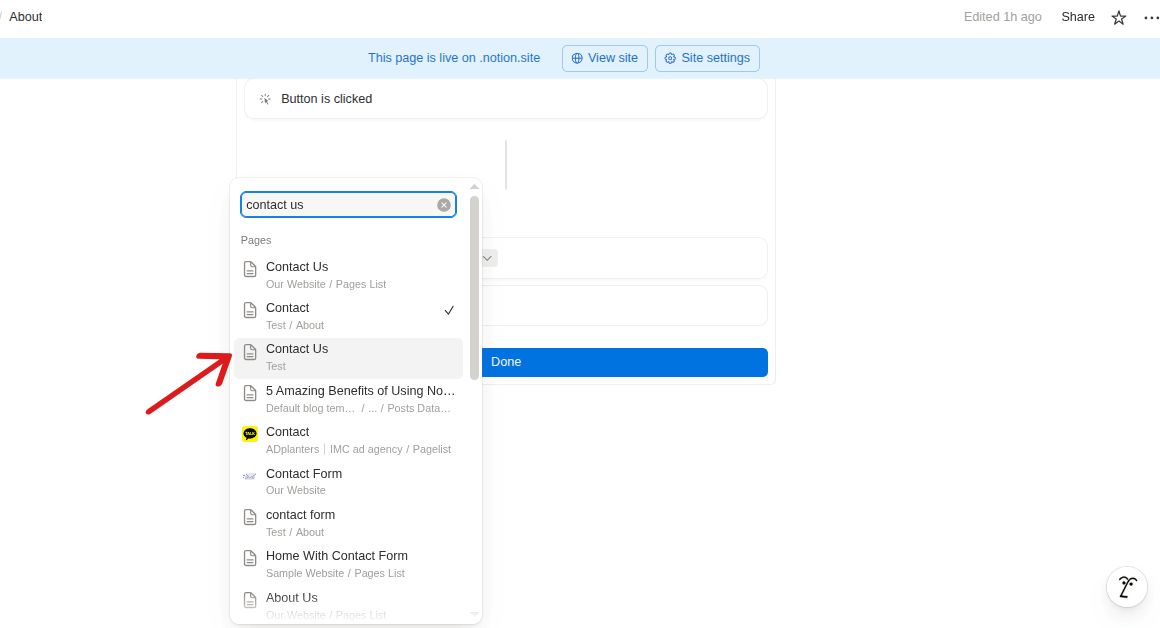
6. Click **Done** to save the action.
7. Publish your site in Bullet to make the changes live.
---
## Embed Tally forms in the Notion website using Bullet.
**Tally Forms** is a form builder that allows users to create forms quickly and without needing coding skills. It's commonly used for lead generation, gathering customer feedback, event registration, surveys, job applications, and more. You can directly embed forms in Notion using Bullet.
1. Create your Tally form and click **Publish**.
2. Navigate to the **Share** tab and choose the **Standard** option.
3. Adjust the embed settings to your preference.
4. Click **Copy embed link**.
5. On your Notion page, type the `/embed` command and paste the link.
**Standard Form:**
A standard Tally form will always be displayed on your Bullet site.
**Popup Form:**
A pop-up form can be triggered on actions such as button click, on page load, after a set time, on exit intent, and after scrolling.
## Beehive newsletter signup form on the Notion website
Beehiiv is a form builder that enables users to create forms easily without any coding skills. It is often used for newsletter sign-ups, feedback collection, event registrations, surveys, and lead generation. You can seamlessly integrate forms into Notion with Beehiiv.
1. Log in to Beehiiv and create a custom subscribe form.
2. Go to the Subscribe Forms page → Click "View" next to your form.
3. Choose an embed option (Full Width, Fixed Width, Slim Embed) and copy the code.
4. Open Notion → type `/embed` and select the "Embed" option.
5. Paste the copied embed code into the URL field.
## Embed Your Substack Newsletter Form in Notion website.
Substack allows writers to publish newsletters directly to their audience, with options for free or paid subscriptions. It simplifies the publishing process.
1. Sign up with your email to receive a magic login link. Click the link to log in.
2. Enter your Substack newsletter URL → click the "Add" button. Customize the embed using options on the left.
3. Click the " **Embed Code**" button at the bottom left, then select the Notion tab and copy the link.
4. Open Notion → `/embed` to paste the ink and click create embed.
## Embed Mailchimp email form in Notion website.
Mailchimp is a comprehensive marketing platform that streamlines email campaigns, allowing businesses to create, send, and track newsletters easily.
- Go to your Mailchimp Campaigns and click the down arrow next to the campaign → select "Social Share → Copy campaign URL.
- Open the Notion page where you want to embed the campaign. Type `/embed` or just `/` and select the "Embed" block.
- Paste the Mailchimp campaign link into the Embed block and click the "Embed link" button.
How to embed forms in Notion and Bullet?
Embed forms into Notion and simplify data collection and management. Streamline tasks like lead generation and feedback by embedding forms from platforms like Tally or Mailchimp, all within one workspace, improving efficiency without needing extra tools.
Tally Forms is a form builder that allows users to create forms quickly and without needing coding skills. It's commonly used for lead generation, gathering customer feedback, event registration, surveys, job applications, and more. You can directly embed forms in Notion using Bullet.
Create your Tally form and click Publish.
Navigate to the Share tab and choose the Standard option.
Adjust the embed settings to your preference.
Click Copy embed link.
On your Notion page, type the /embed command and paste the link.
Standard Form:
A standard Tally form will always be displayed on your Bullet site.
Popup Form:
A pop-up form can be triggered on actions such as button click, on page load, after a set time, on exit intent, and after scrolling.
Beehiiv is a form builder that enables users to create forms easily without any coding skills. It is often used for newsletter sign-ups, feedback collection, event registrations, surveys, and lead generation. You can seamlessly integrate forms into Notion with Beehiiv.
Log in to Beehiiv and create a custom subscribe form.
Go to the Subscribe Forms page → Click "View" next to your form.
Choose an embed option (Full Width, Fixed Width, Slim Embed) and copy the code.
Open Notion → type /embed and select the "Embed" option.
Substack allows writers to publish newsletters directly to their audience, with options for free or paid subscriptions. It simplifies the publishing process.
Sign up with your email to receive a magic login link. Click the link to log in.
Enter your Substack newsletter URL → click the "Add" button. Customize the embed using options on the left.
Click the " Embed Code" button at the bottom left, then select the Notion tab and copy the link.
Open Notion → /embed to paste the ink and click create embed.





