## Adding Custom Code in Bullet Dashboard
Bullet's advanced customization through custom code snippets allows for a powerful and efficient website design to meet the specific needs of your website.
1. Go to your Bullet dashboard and open the Site Dashboard.
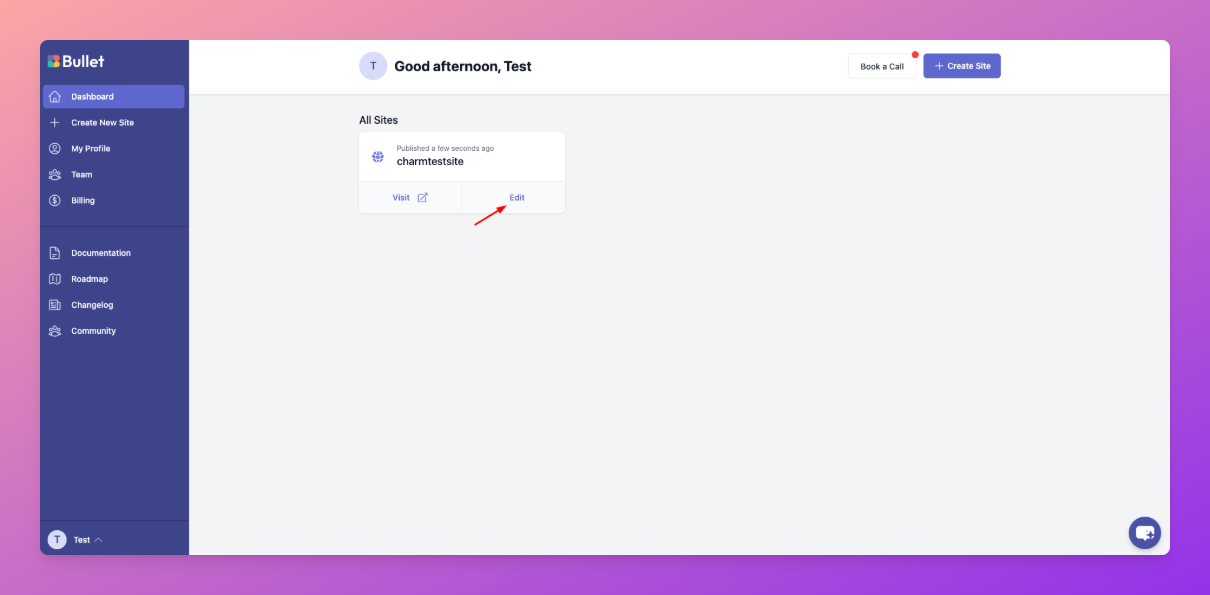
2. Click on **Code Editor** to enter your custom code.
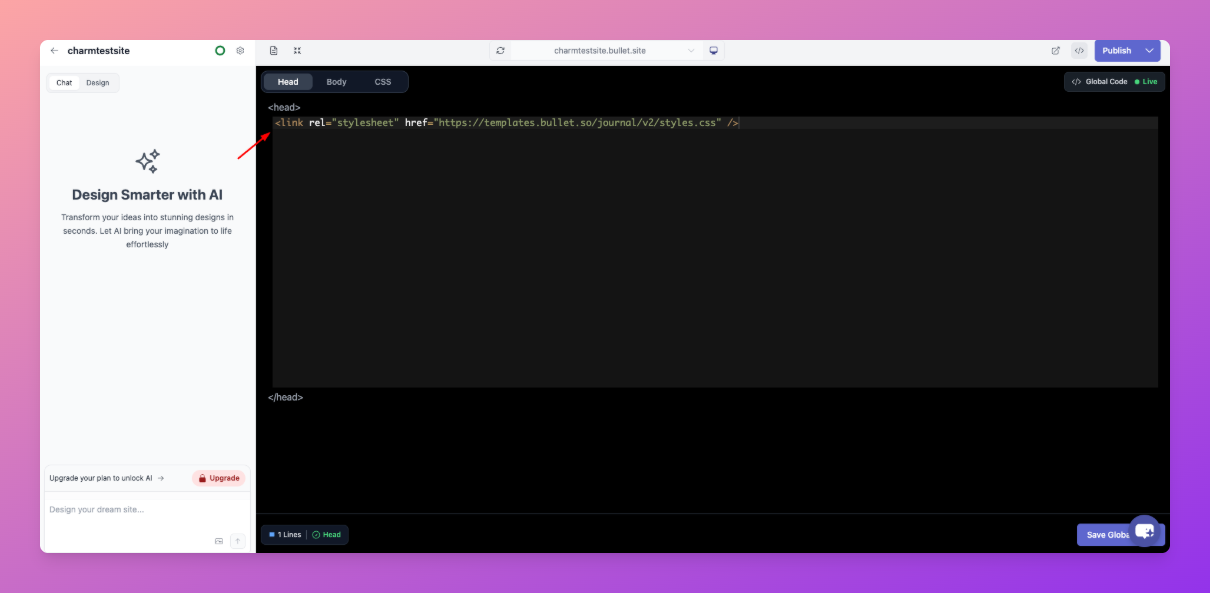
You can add your custom code under three categories:
1. **Head** adds the code at the end of `<head>` section (just before closing `</head>` tag)
2. **Body** adds the code at the end of `<body>` section (just before closing `</body>` tag)
3. **CSS** adds the styles at the end of the `<head>` tag wrapped with the `<style>` tag.
---
**Legacy User**
## Setting up your footer
Bullet's advanced customization through custom code snippets allows for a powerful and efficient website design to meet the specific needs of your website.
You can add your custom code under three categories from the Bullet dashboard:
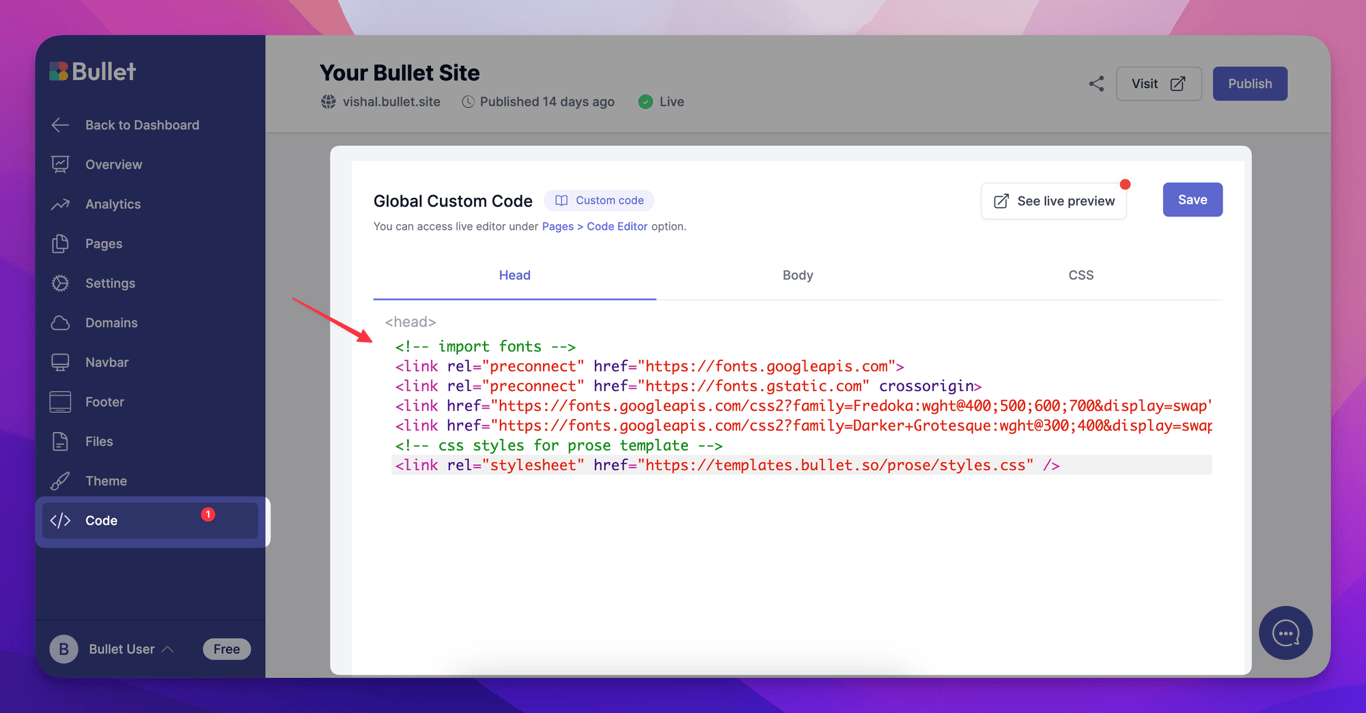
1. **Head** adds the code at the end of `<head>` section (just before closing `</head>` tag)
2. **Body** adds the code at the end of `<body>` section (just before closing `</body>` tag)
3. **CSS** adds the styles at the end of the `<head>` tag wrapped with the `<style>` tag.
You can also add custom code separately for individual pages within your website from the Bullet dashboard.
Bullet's advanced customization through custom code snippets allows for a powerful and efficient website design to meet the specific needs of your website.
Go to your Bullet dashboard and open the Site Dashboard.
Click on Code Editor to enter your custom code.
You can add your custom code under three categories:
Head adds the code at the end of <head> section (just before closing </head> tag)
Body adds the code at the end of <body> section (just before closing </body> tag)
CSS adds the styles at the end of the <head> tag wrapped with the <style> tag.
Bullet's advanced customization through custom code snippets allows for a powerful and efficient website design to meet the specific needs of your website.
You can add your custom code under three categories from the Bullet dashboard:
Head adds the code at the end of <head> section (just before closing </head> tag)
Body adds the code at the end of <body> section (just before closing </body> tag)
CSS adds the styles at the end of the <head> tag wrapped with the <style> tag.
You can also add custom code separately for individual pages within your website from the Bullet dashboard.
Was this page helpful?
How can we improve?
Start typing to search documentation…
Pages
Ask AI assistant
AI Assistant
Sources cited
AI is thinking
Hi! I'm your AI assistant. Ask me anything about this documentation.


