Before you read this please check out and understand Bullet’s Blog Notion structure using [this link.](4aeb7544)
## Creating a blog using our templates
Bullet has a gallery of templates for you to start with. You can duplicate one of these blog templates to get started:
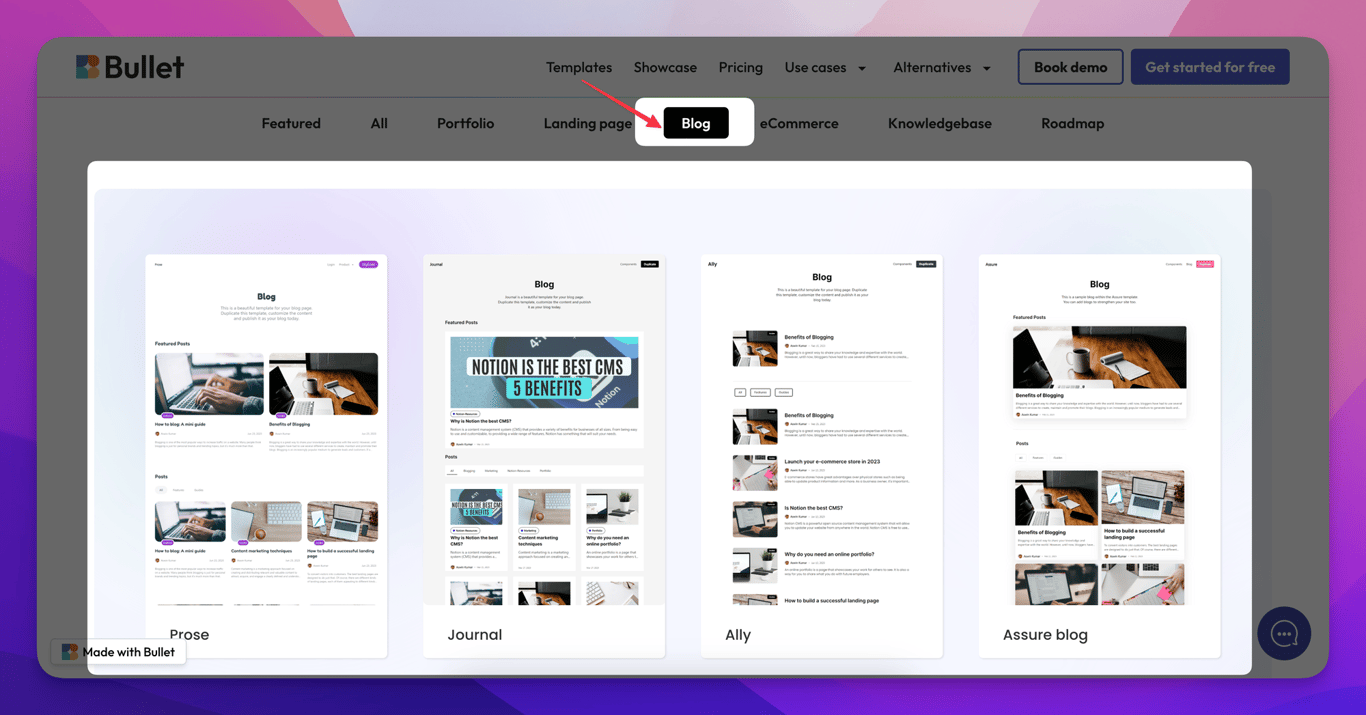
- [Bullet Blog template](https://blogger.bullet.ink/)
- [Ally Blog template](https://ally.bullet.ink/)
- [Canvas Blog template](https://canvas.bullet.ink/)
- [Prose blog template](https://prose.bullet.ink/)
A step-by-step procedure to duplicate a template to your Notion page can be found [here](68b1deec).
## Adding a blog to an existing Bullet website
To add a blog to your existing Bullet website, follow the steps below.
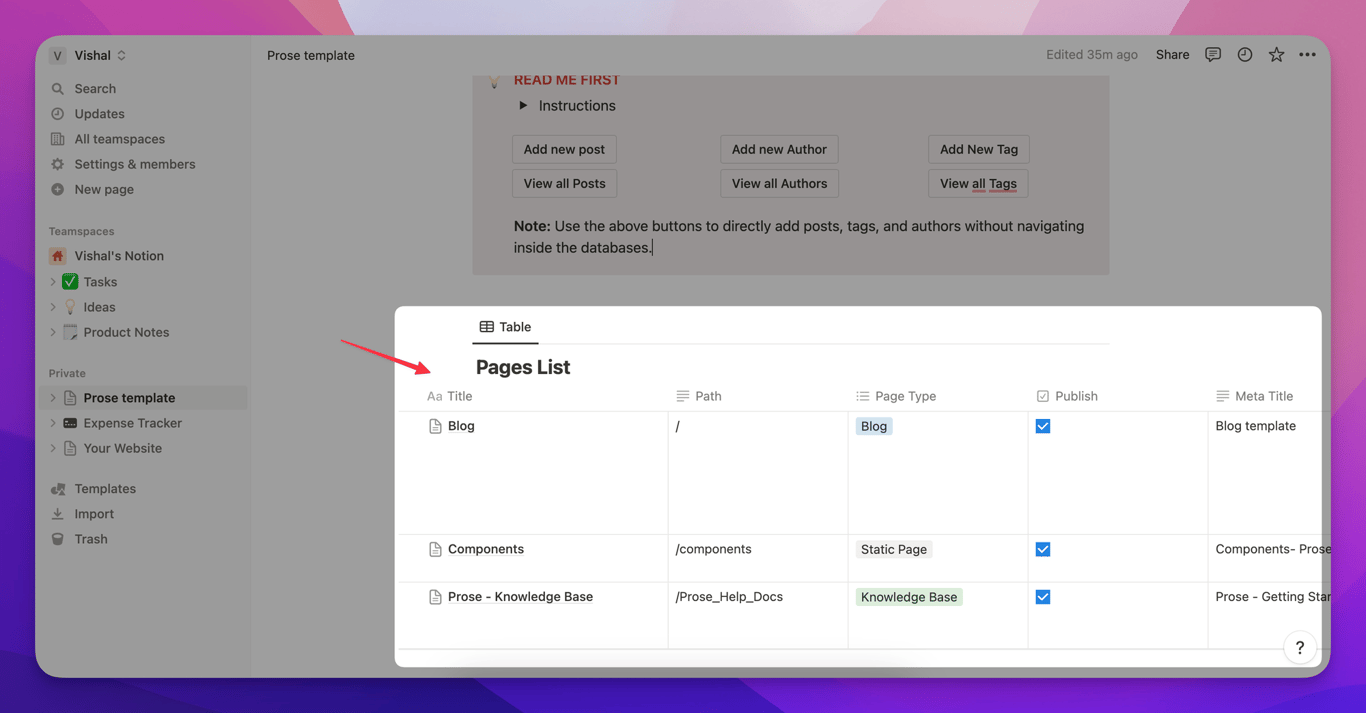
1. First, create a new page (a new row) in your primary database and set the page type to Blog.
2. Simply use any of our blog templates as a reference to build a similar database structure in your newly created blog page. Check [this link](/templates/).
3. Update and add all the corresponding details in the authors and tags database.
4. Next, go to Bullet’s dashboard and publish your website. Your blog will be published under the URL you’ve mentioned.
How to set up your blog with Bullet
Before you read this please check out and understand Bullet’s Blog Notion structure using this link.

