Not all changes need AI. Sometimes you know exactly what you want: adjust spacing, align text, change a color, or add a shadow. For these predictable edits, Design Mode is faster and more precise. This section explains how to use Design Mode for full manual control.
## Design Mode Panel
If you prefer direct control:
- Open **Design Mode**.
- Adjust typography, colors, spacing, borders, and shadows.
- For simple, deterministic changes (like spacing, alignment, color, or shadow), use Design Mode — it’s more accurate than AI prompts.
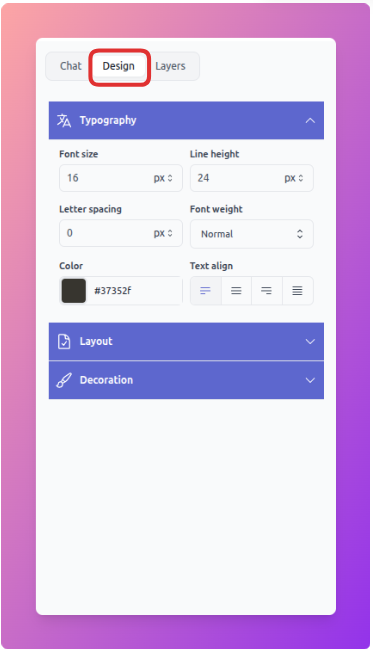
Design Mode
Not all changes need AI. Sometimes you know exactly what you want: adjust spacing, align text, change a color, or add a shadow. For these predictable edits, Design Mode is faster and more precise. This section explains how to use Design Mode for full manual control.
