## How to automatically publish your changes in Notion?
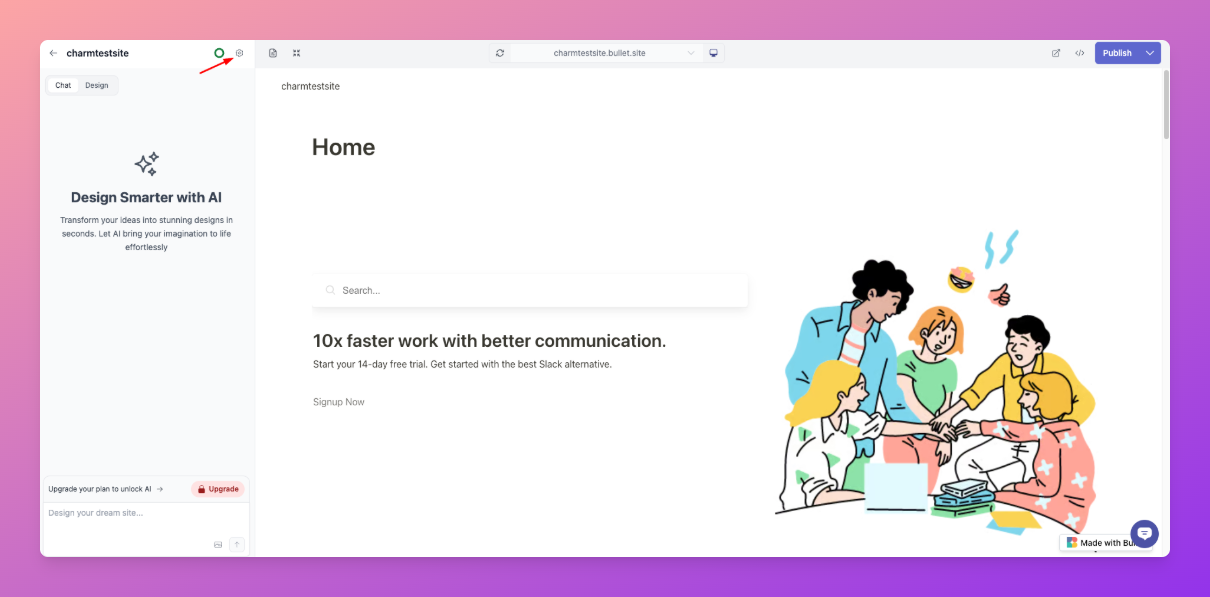
1. Navigate to the **“Site Settings”** section of your site in the Bullet dashboard.
2. Navigate to the “General” tab and click on **“Publish Frequency”**
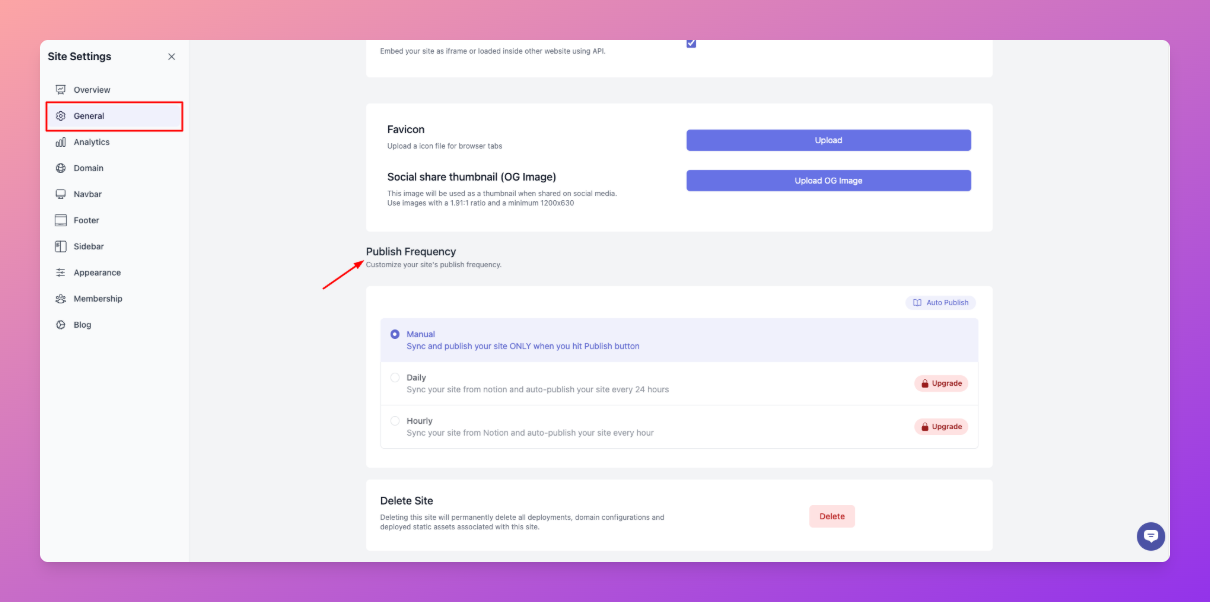
3. Now choose your publishing type: Manual, Daily and Hourly.
## Related articles
1. [Why we choose to avoid live auto-publish?](https://bullet.so/blog/staying-away-from-auto-sync/)
***
### Legacy User
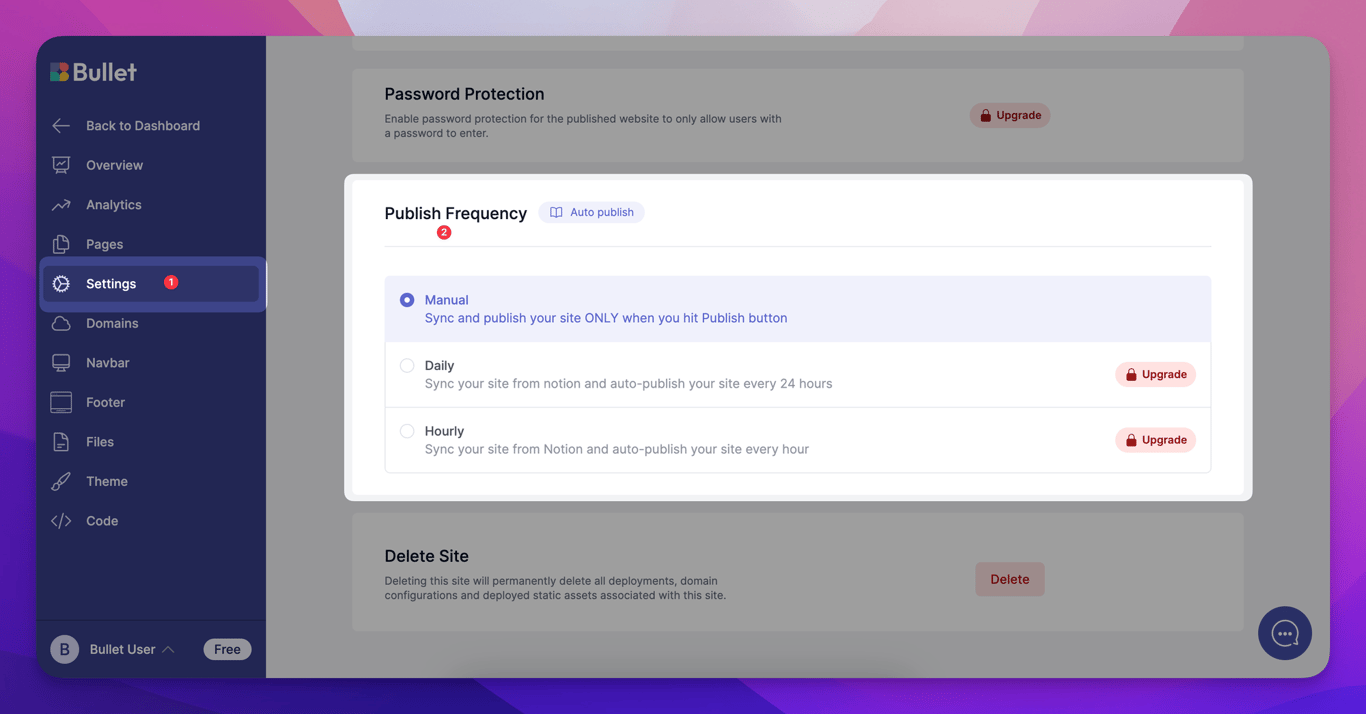
1. Navigate to the **“Settings”** section of your site in the Bullet dashboard.
2. Now, you’ll find **“Publishing”** and click on **“Publish frequency”**
3. Now choose your publishing type: Manual, Daily and Hourly.