Understanding bullet dashboard
Add Search Functionality
How to add a site search functionality in Bullet?
You can add a site-search functionality on your website for better navigation by enabling a simple toggle in the Bullet dashboard:
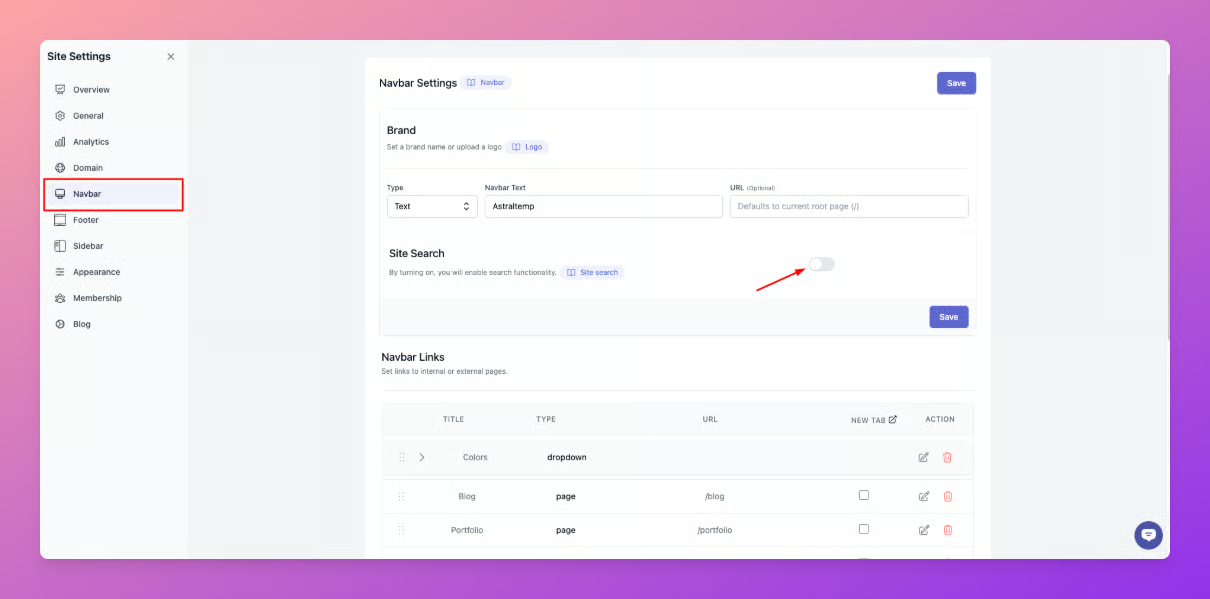
- Go to the Navbar settings of your site and scroll down to the brand section.
- Now, enable the toggle beside the site search option as shown in the figure below.