With Bullet, you can prevent the discovery of your Notion page ID from others by generating a randomized ID for added privacy.
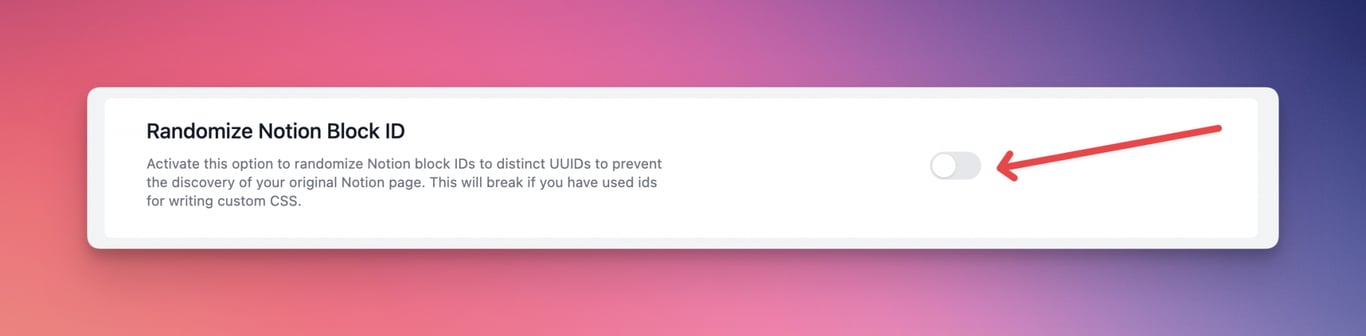
- First, you have to enable the Randomize Notion Block ID for your site. Go to **Dashboard > Settings** and scroll down to the "Randomize Notion Block ID" section.
- Once you enable the option, the randomized Notion ID will be generated instead of your original Notion ID, and click **Save**.
**NOTE**: Don't forget to hit "Save" after every change and then "Publish" to see results on your live webpage.
Prevent the discovery of the Notion Page
With Bullet, you can prevent the discovery of your Notion page ID from others by generating a randomized ID for added privacy.
First, you have to enable the Randomize Notion Block ID for your site. Go to Dashboard > Settings and scroll down to the "Randomize Notion Block ID" section.
Once you enable the option, the randomized Notion ID will be generated instead of your original Notion ID, and click Save.
NOTE: Don't forget to hit "Save" after every change and then "Publish" to see results on your live webpage.
Was this page helpful?
How can we improve?
Start typing to search documentation…
Pages
Ask AI assistant
AI Assistant
Sources cited
AI is thinking
Hi! I'm your AI assistant. Ask me anything about this documentation.
