## Uploading Custom Files
To upload a custom file to your website (like `ads.txt`), follow these steps
1. Go to Site Settings → Domain → Files → **Ads.txt**
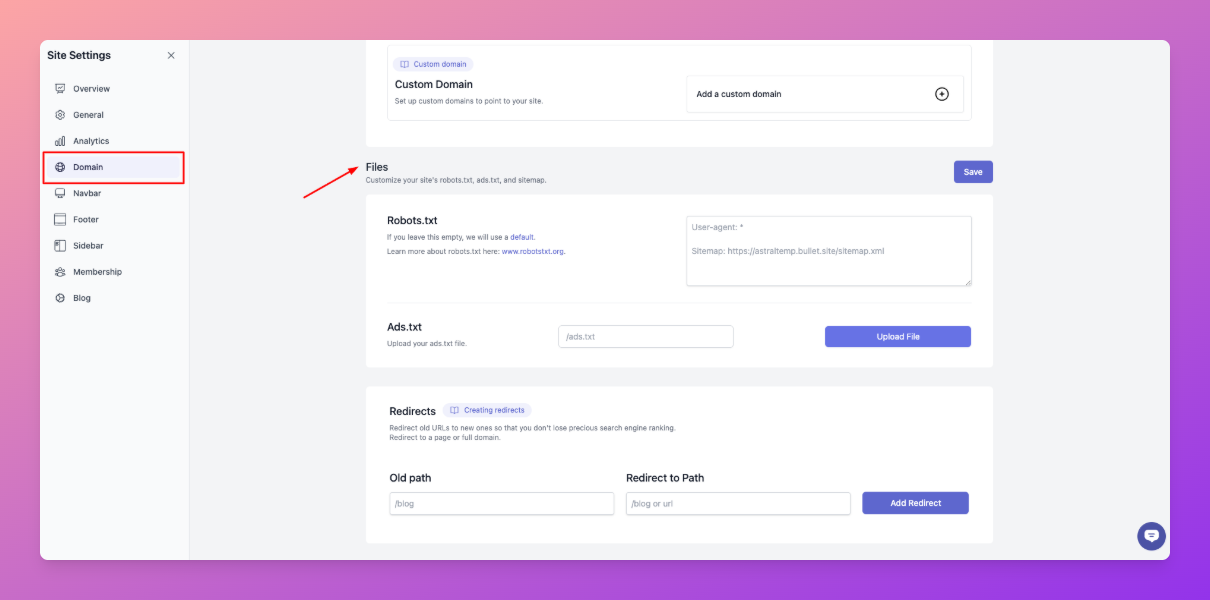
2. In the input field, enter the full file path. Example: `/ads.txt`
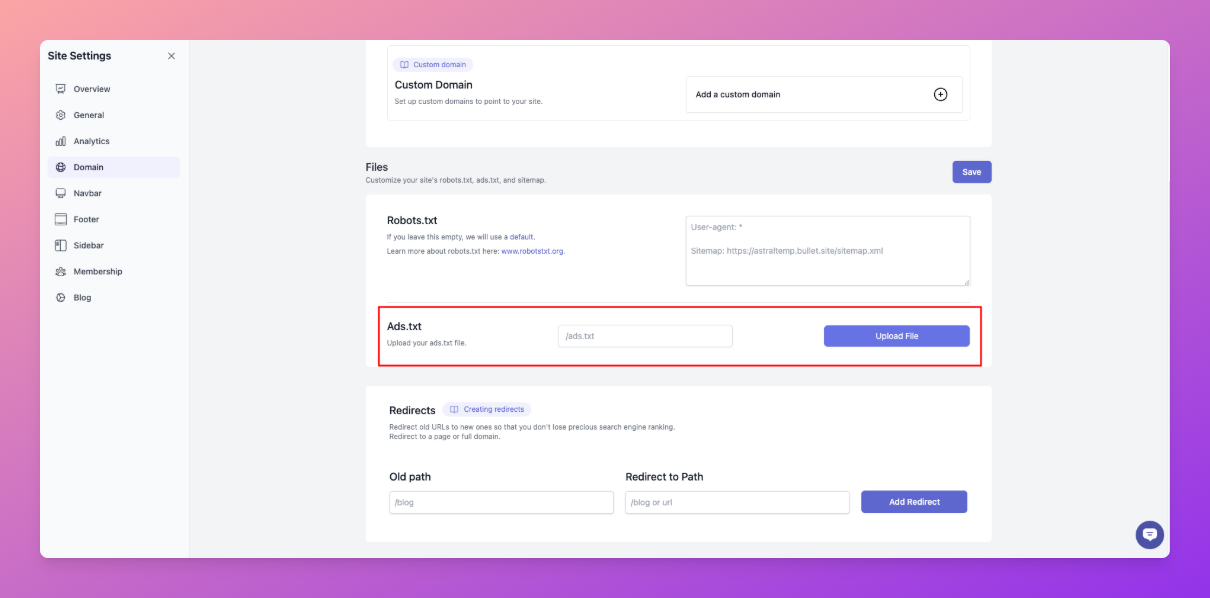
3. Upload your file directly using the upload interface.
---
### Legacy User
To upload a custom file to your website (like `ads.txt`), follow these steps
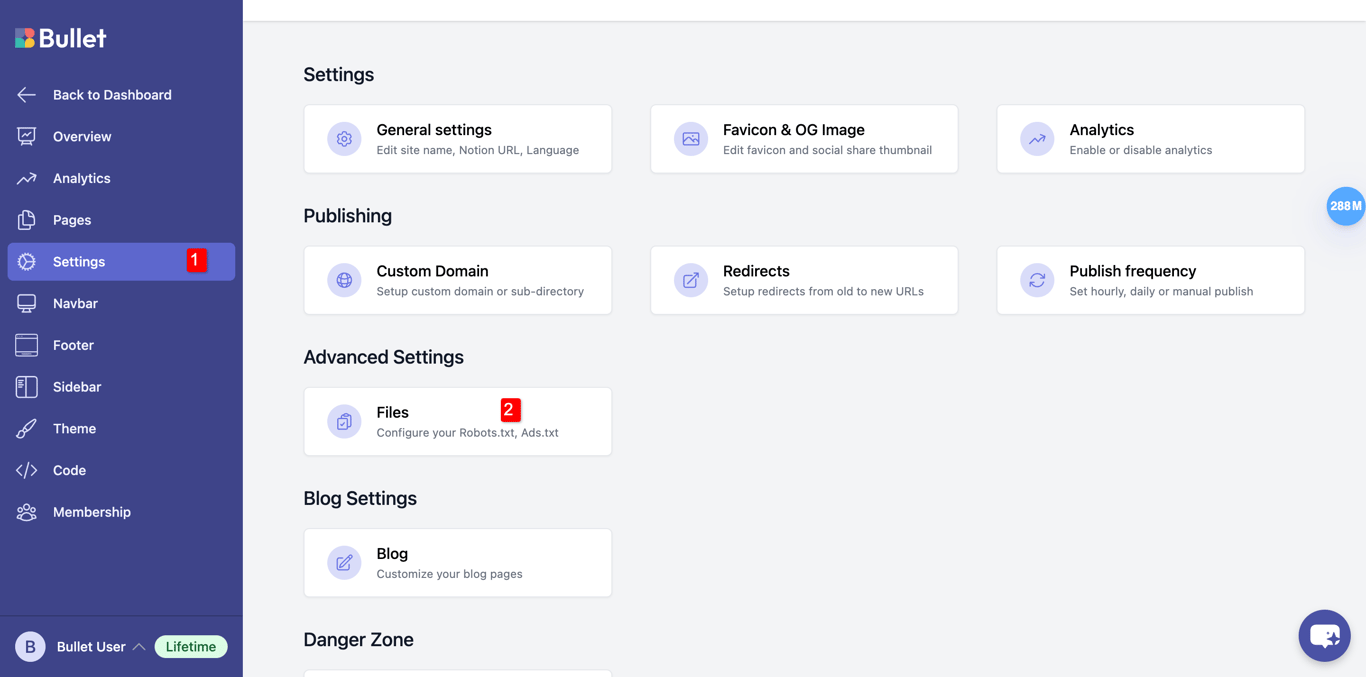
1. Go to **Settings** → **Files** → **Ads.txt** section.
2. In the input field, enter the full file path. Example: `/ads.txt`
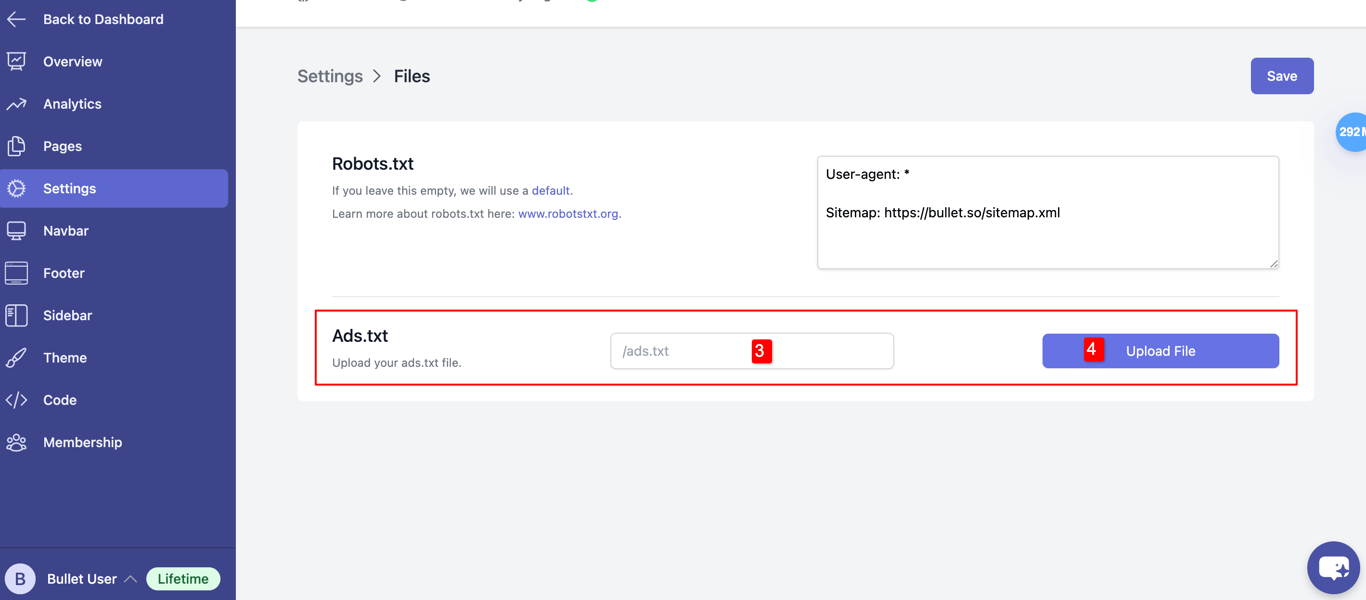
3. Upload your file directly using the upload interface.



