The badge of the Bullet can be customized from the **Badge** section in Theme settings. This allows you to control its display, including the option to hide the floating badge.
## To remove the site badge from your Bullet website:
1. From your site dashboard, navigate to the **Theme** section.
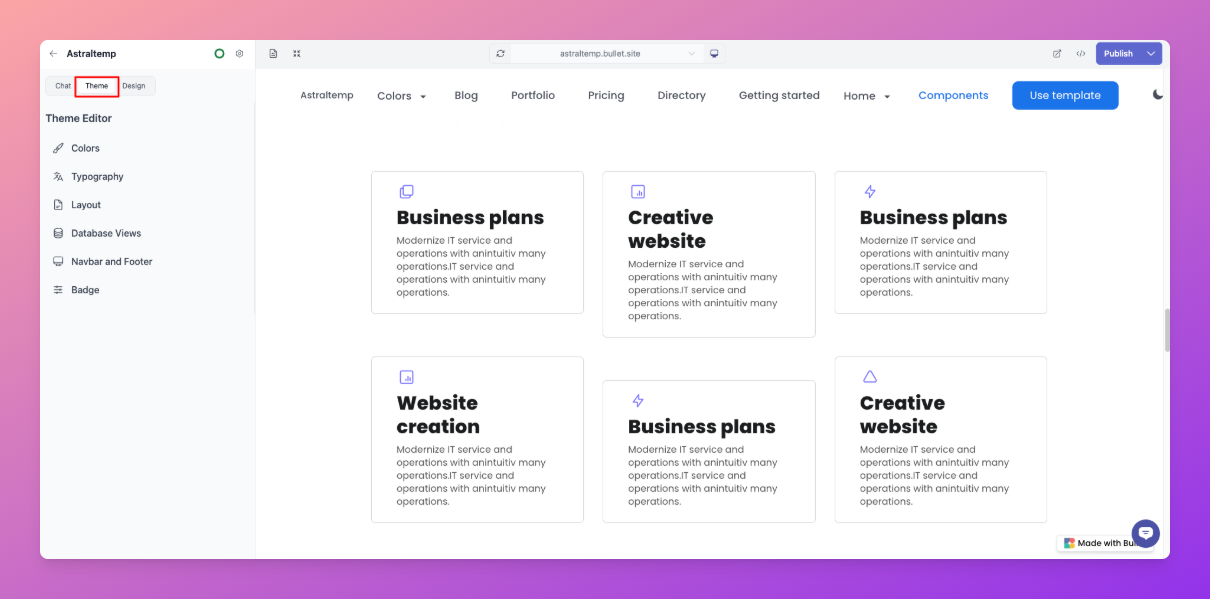
2. Click on **Badge**.

3. Locate the **Display floating badge** option.
4. Toggle the switch to **Hide badge**.
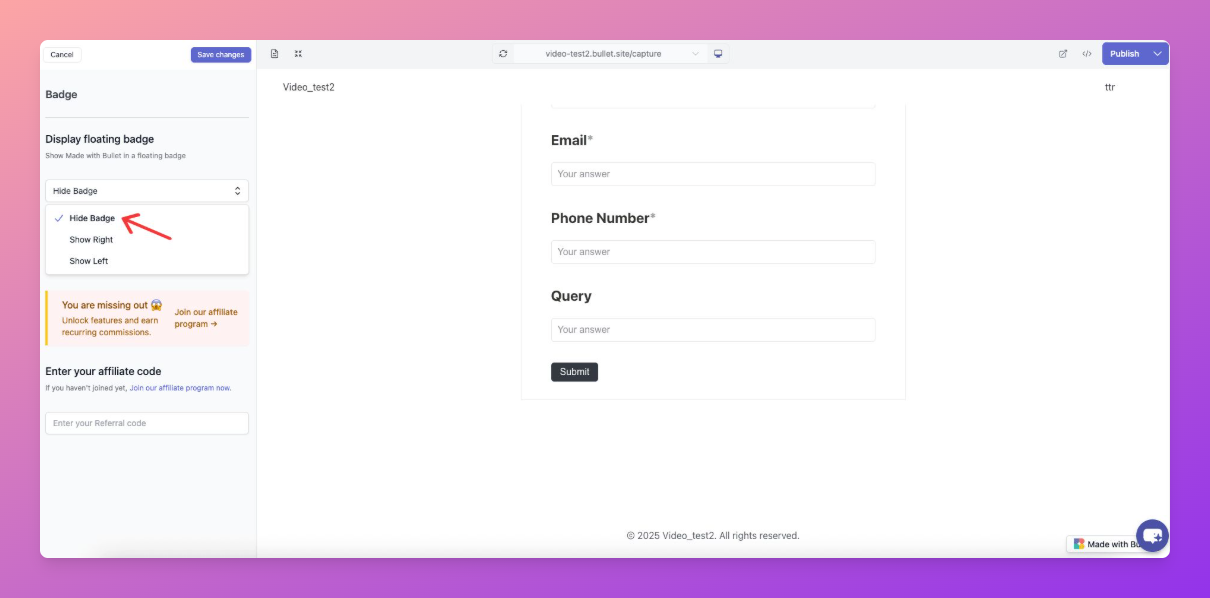
5. Click **Save Changes**, then click **Publish**.
**Note:** This feature is available only for paid users.
How to remove the Bullet badge
The badge of the Bullet can be customized from the Badge section in Theme settings. This allows you to control its display, including the option to hide the floating badge.


