Membership webhooks notify your server in real time whenever a new member is created. Use this to sync membership data with your own systems automatically.
---
## **How to add a webhook endpoint**
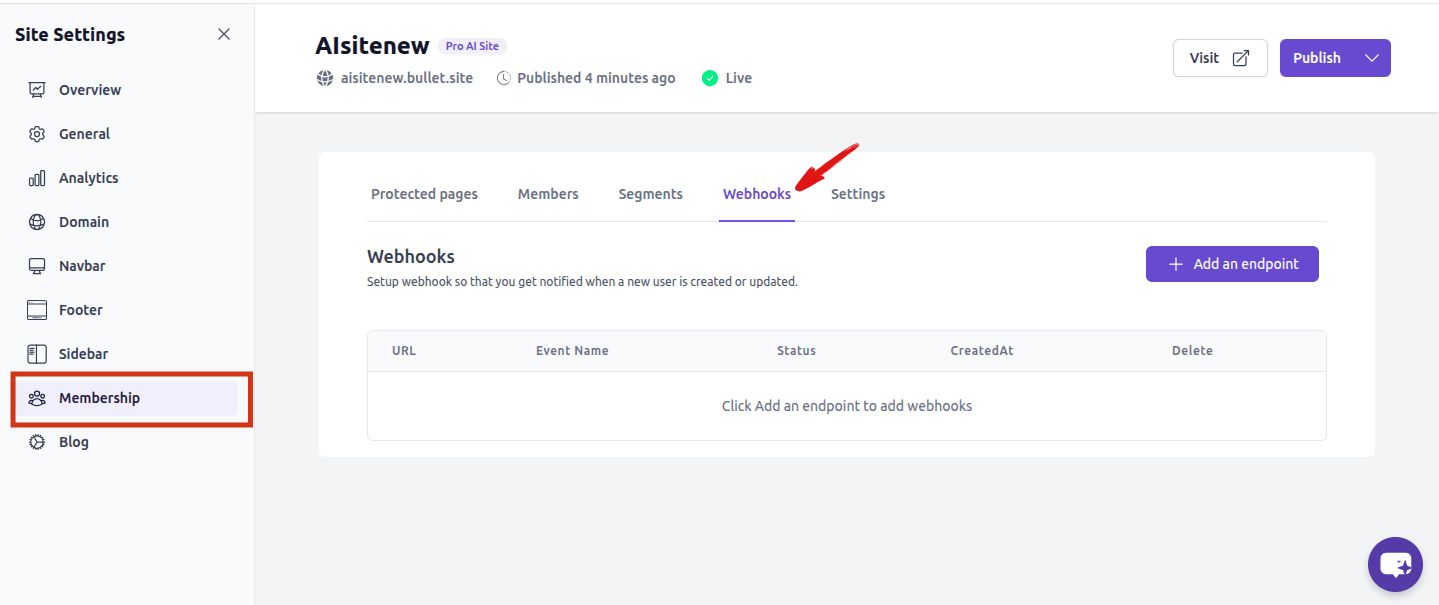
1. Go to Site Settings→Membership→ Webhooks in your Bullet dashboard.
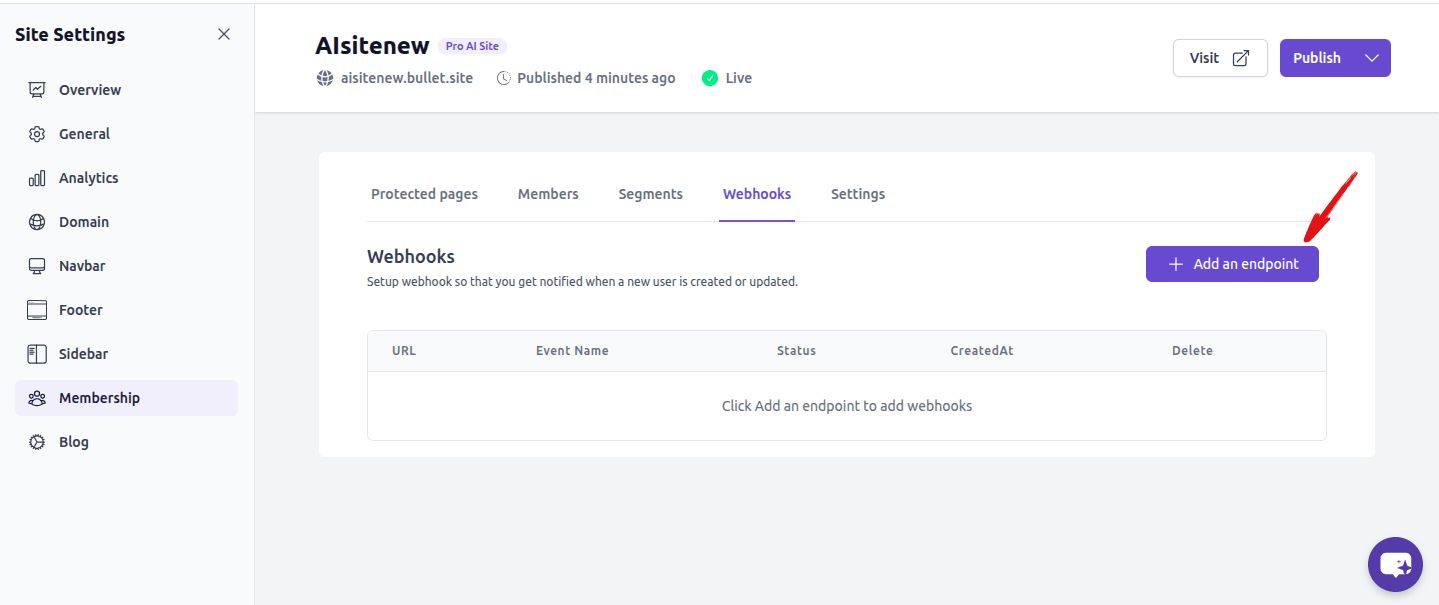
2. Click "+ Add an endpoint" A dialog will appear where you can enter your endpoint URL and an optional description.
3. Enter your HTTPS endpoint URL Your server must be publicly accessible over HTTPS. HTTP URLs are not accepted.
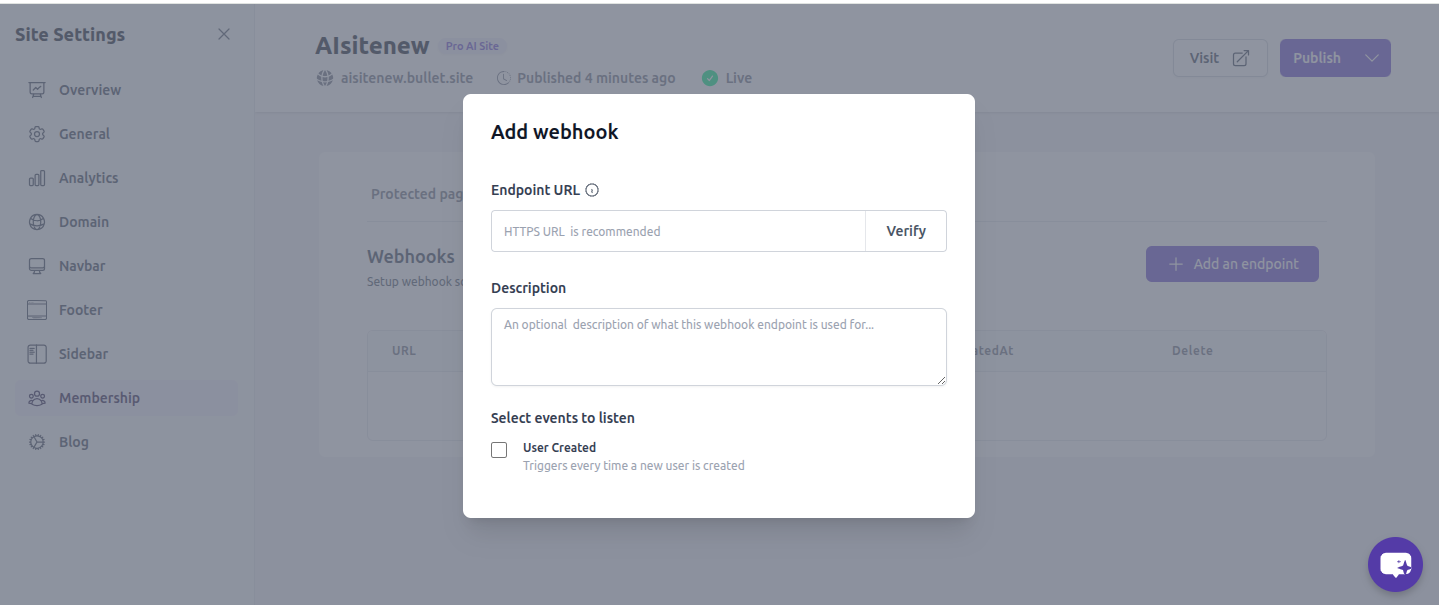
4. Click "Verify" Bullet will send a test request to your endpoint to confirm it is reachable and responding correctly.
5. Select events to listen to Check User Created to receive a notification each time a new member registers.
6. Save your endpoint Your endpoint will appear in the webhooks list and begin receiving events immediately.
---
## **How endpoint verification works**
When you click Verify, Bullet sends a real POST request to your endpoint containing a sample member payload. Your server must process this request and return HTTP 200 for verification to succeed.
The verification payload looks like this:
```
{
      event: 'userCreated',
      data: {
        allowedSegments: ['default'],
        createdAt: Date.now(),
        email: '[email protected]',
        name: 'testURL',
      }
```
Verification rules:
- Request method: POST
- Required response: HTTP 200
- On non-200 response: verification fails
- On timeout or network error: verification fails
Note: The verification payload includes an email field. If your endpoint integrates with an external service, it will attempt to process this test data. We recommend detecting test requests by checking that [data.name](http://data.name) equals "testURL" and returning 200 immediately without forwarding to any external API.
---
## What a live event looks like
When a real member registers, Bullet sends the same payload structure with their actual details and any segments they belong to:
```
{
      event: 'userCreated',
      data: {
        allowedSegments: ['default'],
        createdAt: Date.now(),
        email: '[email protected]',
        name: 'testURL',
      }
```
---
## **Testing your endpoint**
Before clicking Verify in Bullet, test your endpoint using Postman to make sure it responds correctly.
Postman setup:
- Method: POST
- Content-Type: application/json
- Body: use the payload structure above
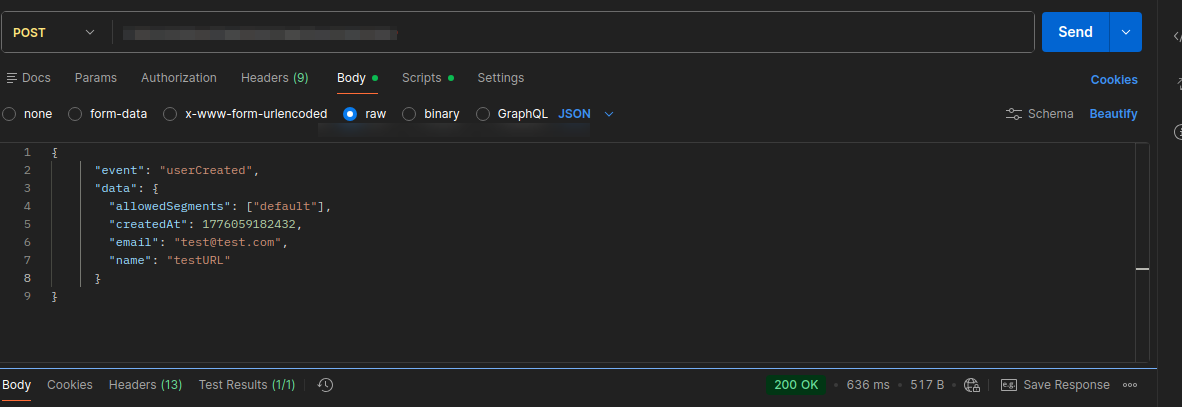
If your endpoint returns HTTP 200 in Postman and your integration processes the data correctly, Bullet verification will succeed. Always test with Postman first before attempting verification in the dashboard.
Webhook Setup
Membership webhooks notify your server in real time whenever a new member is created. Use this to sync membership data with your own systems automatically.
Go to Site Settings→Membership→ Webhooks in your Bullet dashboard.
2. Click "+ Add an endpoint" A dialog will appear where you can enter your endpoint URL and an optional description.
3. Enter your HTTPS endpoint URL Your server must be publicly accessible over HTTPS. HTTP URLs are not accepted.
4. Click "Verify" Bullet will send a test request to your endpoint to confirm it is reachable and responding correctly.
5. Select events to listen to Check User Created to receive a notification each time a new member registers.
6. Save your endpoint Your endpoint will appear in the webhooks list and begin receiving events immediately.
When you click Verify, Bullet sends a real POST request to your endpoint containing a sample member payload. Your server must process this request and return HTTP 200 for verification to succeed.
Note: The verification payload includes an email field. If your endpoint integrates with an external service, it will attempt to process this test data. We recommend detecting test requests by checking that data.name equals "testURL" and returning 200 immediately without forwarding to any external API.
Before clicking Verify in Bullet, test your endpoint using Postman to make sure it responds correctly.
Postman setup:
Method: POST
Content-Type: application/json
Body: use the payload structure above
If your endpoint returns HTTP 200 in Postman and your integration processes the data correctly, Bullet verification will succeed. Always test with Postman first before attempting verification in the dashboard.
Was this page helpful?
How can we improve?
Start typing to search documentation…
Pages
Ask AI assistant
AI Assistant
Sources cited
AI is thinking
Hi! I'm your AI assistant. Ask me anything about this documentation.



